
Domino's take, in one breath
Recording or editing a radio show? Compare the top four audio recording programs used by radio broadcasters and podcasters.
On this page 4 sections
Recently, we published a guide on radio automation programs (In case you missed it).
But, there was one thing glaringly missing from the programs we reviewed.
...most lack advanced audio recording or editing features.
Today, I’ll save you the trouble of looking for one and show you some of the best audio recording and editing programs for your radio shows/podcasts.
So, let's dive straight in:
Audacity
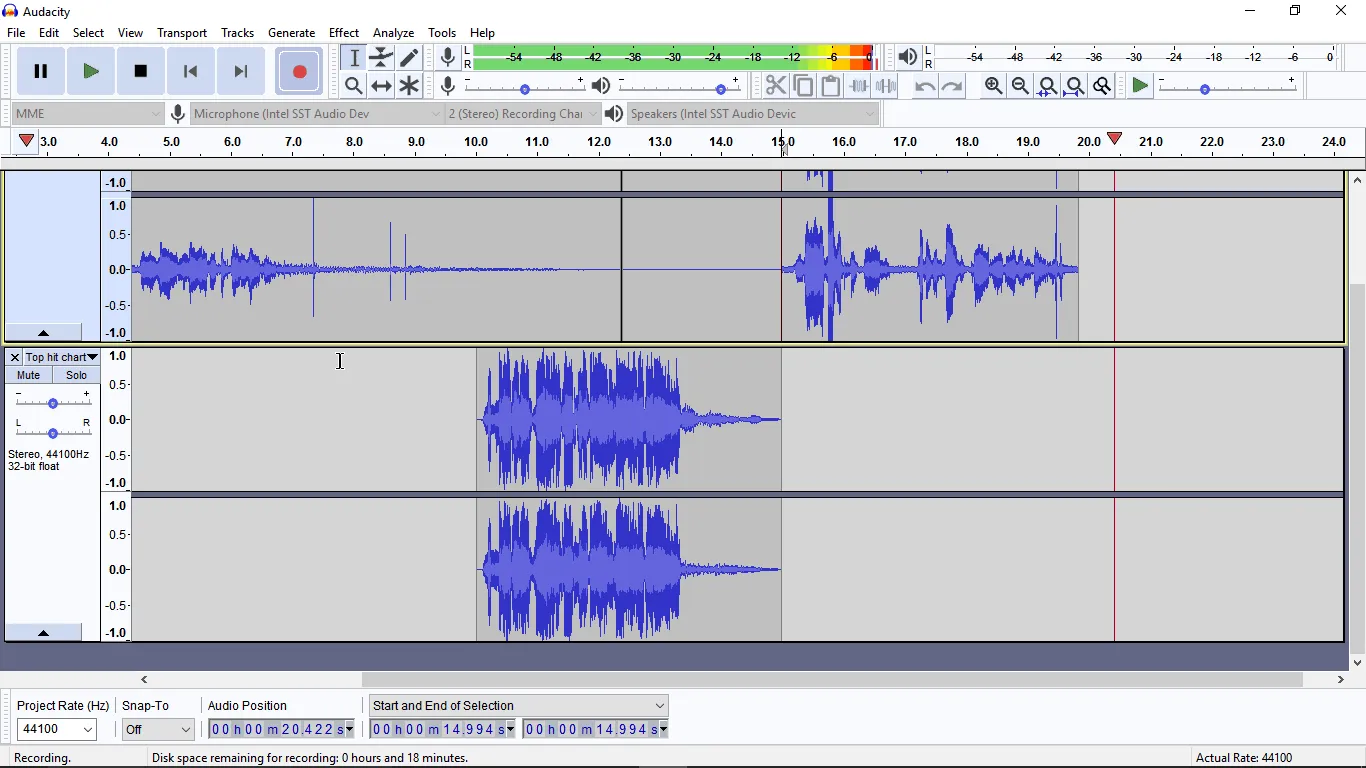
Audacity rocks! Its makers say it has been downloaded more than 100 million times since 2000.
The program is easy to use. And the interface is neat.
It won't intimidate you when you first launch it.
How to record with audacity:
You can start recording immediately by pressing the record button.
There are numerous operations you can perform on an audio file.
Like selecting a portion of it and applying audio effects such as reverb, phaser, high pass or low pass filter and more!
You can also import audio, labels or raw data. The program even allows you to edit the metadata of your file.
Generally, Audacity combines top-notch features, excellent user experience and will be sufficient for your recording needs.
The best part: You don't have to think twice to try it.
It's free with a small download size.
Download link:
https://www.audacityteam.org/download/
Adobe Audition CC
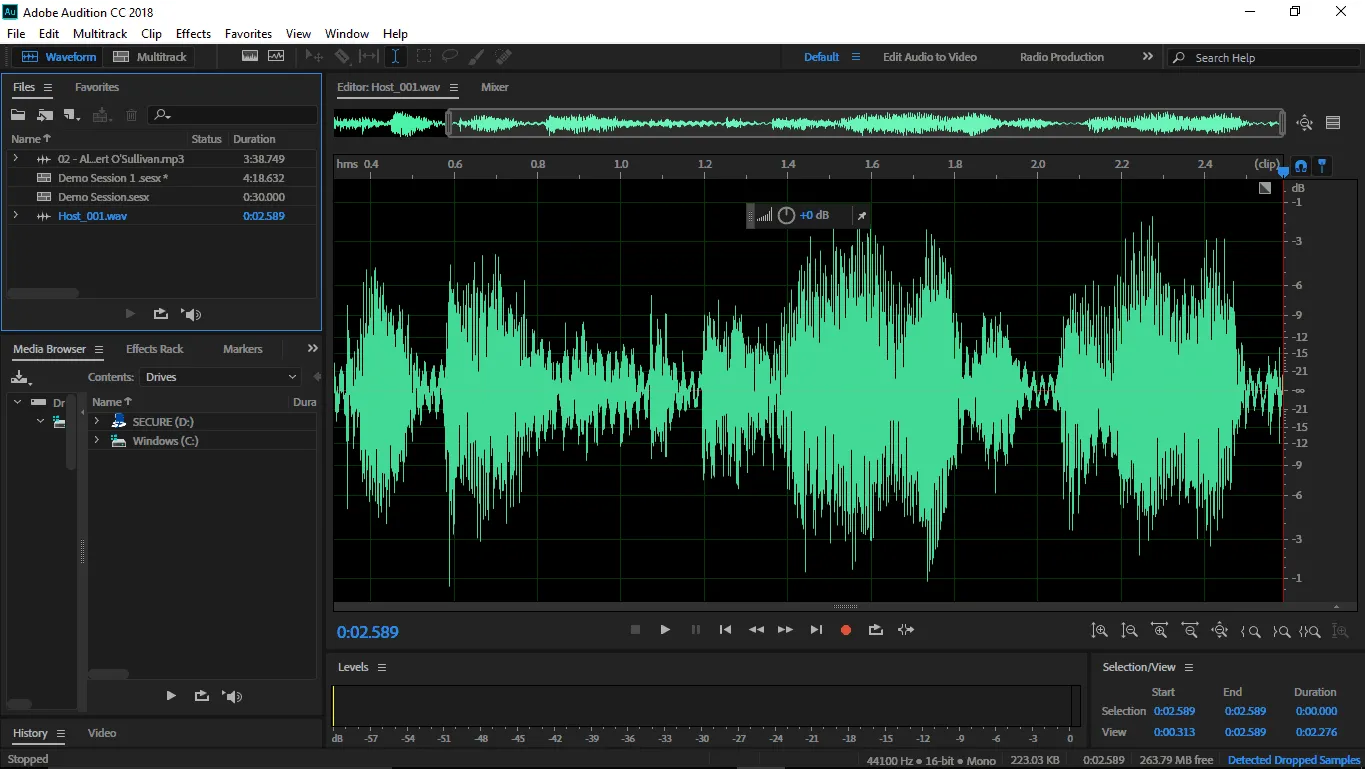
Audition CC is part of Adobe's Creative Cloud.
It's a handy program for creating, editing, mixing, repairing and restoring audio. And it's a powerful tool for creating your studio's imaging.
First-time users get seven days to try Audition CC. But first, you've to set up the Creative Cloud App, create an account and sign in.
Then, you can download Audition CC through the Cloud App. Be very patient as the program installs. In my case, it took more than 30 minutes.
So 30 minutes later, I launched CC and got stuck trying to figure out how to record.
After seven days, you need a paid Adobe plan to continue using Audition.
Trial Download Link:
https://www.adobe.com/products/audition/free-trial-download.html
Reaper
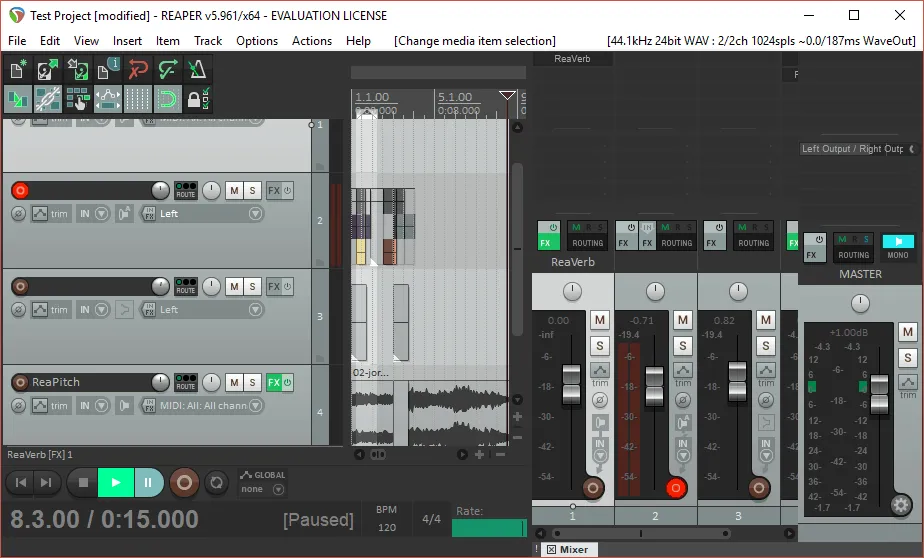
Reaper is a complete digital audio workstation that supports multi-track audio and MIDI recording.
Downloading and setting up the program is fast. The Windows setup file is about 17 MB.
The program is light and doesn't consume lots of computer resources.
When you first launch Reaper, it will ask you to specify your input and output devices.
Reaper might look complicated. But it is easy to use once you've read the manual or watched some instructional videos.
You can try the fully functional version for 60 days. And the pro version is priced competitively.
If you're a very small business or non-profit organization, you qualify for a discounted license for $60. The commercial license costs $225.
Trial Download Link:
https://www.reaper.fm/download.php
Hindenburg PRO
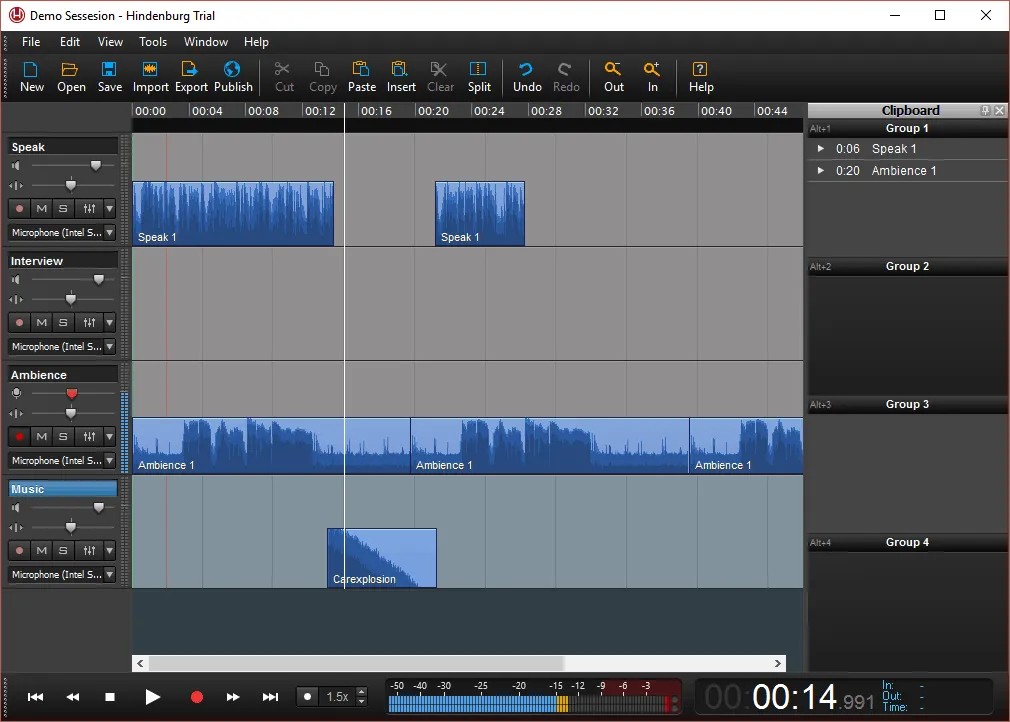
It's a multi-track audio editor designed for podcasters, radio journalists and other audio producers.
It's a straightforward program to use and won't feel overwhelming.
On the right panel, you get a clipboard, where you can paste audio snippets.
You can also import files and export audio in different formats including MP3, AAC, FLAC, and OPUS.
Editing is effortless. You just drag and drop audio items from one track to another.
If you're recording an interview, you can set markers and add comments.
Setting up the program is also quick and easy. If you want to try it out, you create an account on the trial page and download the trial from your account.
The trial lasts 30 days. Hindenburg's radio and podcast editor is now called Hindenburg PRO, sold by subscription or as a one-time licence.
Download Trial Link:
https://hindenburg.com/academy/trial/
Explore other radio automation programs
Are you looking for a program to record and schedule voice tracks? Check out some radio automation programs we have reviewed.
Now, if you need a dedicated program to record interviews held remotely over the internet, explore the remote interview tools in our toolkit.
To turn your edited recordings into a podcast, see how to start a podcast from your radio show.
Thanks for telling us.
Sorry about that. Tell us what was missing and we'll fix the post.
CloudRadio One
Ready to put this on air?
- AutoDJ keeps your station playing around the clock
- Go live from the software you already use
- A player for your website
- Unlimited listeners
$39/mo
Start your stationOne plan, everything included. No contracts, cancel anytime.