
Domino's take, in one breath
Learn how to broadcast live audio online using CloudRadio. Set up your stream, connect broadcasting software, and go live with your radio station in minutes.
On this page 6 sections
So what are you planning to broadcast live? Concerts, speeches, podcasts, corporate events, family meetups…
It is quite easy to broadcast live audio. And you can do so, on our audio streaming service for radios.
Fear not if you’re not a radio station, we’re quite suited to handle your live broadcasting needs.
What is webcasting?
First:
Broadcasting involves distributing video or audio content to many viewers or listeners through an electronic medium.
Combine the term “broadcasting” with the word “‘web,” and you get webcasting, which means “broadcasting or distributing video or audio content over the internet.”
What do you need to webcast?
"A streaming media server."
It's a software that performs two key tasks: accepting an input (audio content) from a source client and serving it to listeners.
Two of the most well-known audio broadcasting software are Icecast and Shoutcast both launched in the late 90s. They power many internet radio streams.
You can run a streaming media server on your computer. But it's much better to have the streaming media server on a server computer.
CloudRadio lets you stream online with Shoutcast, Icecast, or our fully managed AutoDJ platform.
How to listen to live streams
There are various ways to listen to a live stream.
Using a media player like VLC, Quick Time, Apple Music, etc. Through mobile apps like TuneIn.
On an internet browser such as Google Chrome, Mozilla, and more!
Gaming console, smart speakers, and car infotainment systems also play live streams.
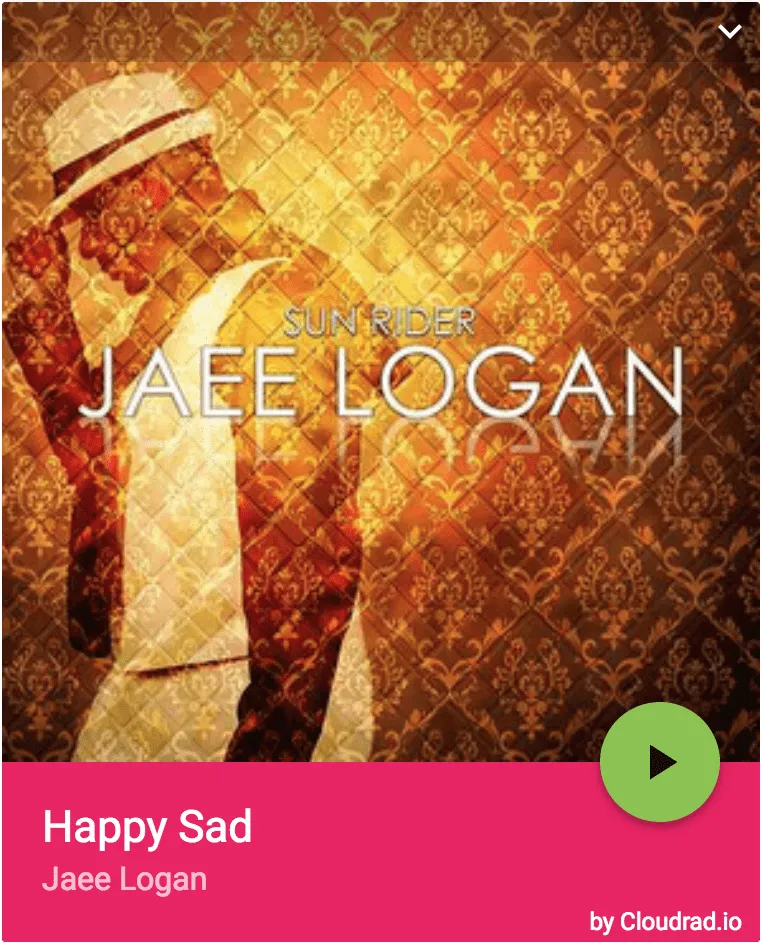
We provide an HTML5 stream player that you can use on your website. It displays the album art, title & artist name. The user can also pause & resume the stream.
Here is a snapshot of it in action:
Start an audio webcast the easiest way
Got a microphone to record your voice? Some pre-recorded shows stored on your drive? Great, install these two programs:
- A playback program - to playback a recording or media file. Your default media program like QuickTime can do this, but if you need more features, go for a radio automation program.
- An encoder - to capture audio from your computer, convert it into a streamable source, and send it to your server for relaying to connected listeners
If you only need your microphone on air, a CloudRadio One station can go live from your browser instead, with nothing to install (going live from your browser).
Next, create your streaming media server on CloudRadio. Here are steps for that: How to create a radio server.
Are there any advantages to using our platform?
Several actually:
The most important thing is a reliable connection, so count that as checked.
Listeners stream through a CDN, with no listener limit (pricing).
Two: our platform is very easy to use. Here is the console you will be using:
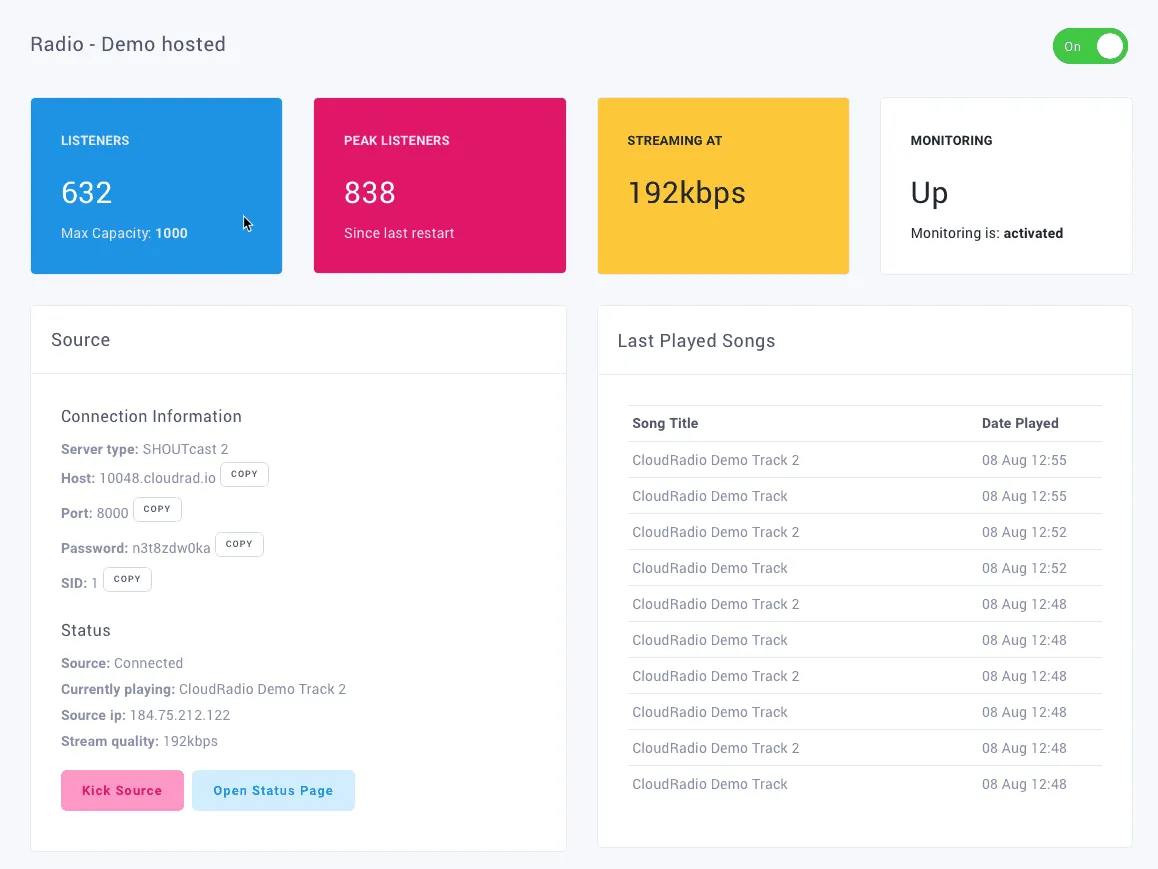
Simple right? Some audio streaming services will have you using some old-fashioned consoles.
Not us.
Do you have questions?
Maybe something isn't clear? In that case, we're here to help.
Tell us what you need. Like, "I want to broadcast to 100 listeners at the same time."
Thanks for telling us.
Sorry about that. Tell us what was missing and we'll fix the post.
CloudRadio One
Ready to put this on air?
- AutoDJ keeps your station playing around the clock
- Go live from the software you already use
- A player for your website
- Unlimited listeners
$39/mo
Start your stationOne plan, everything included. No contracts, cancel anytime.