Remote Radio Broadcasting: How to Run a Reliable Outside Broadcast
Remote radio broadcasting guide covering gear, cellular bonding, mix-minus, latency, and outside broadcast workflows.
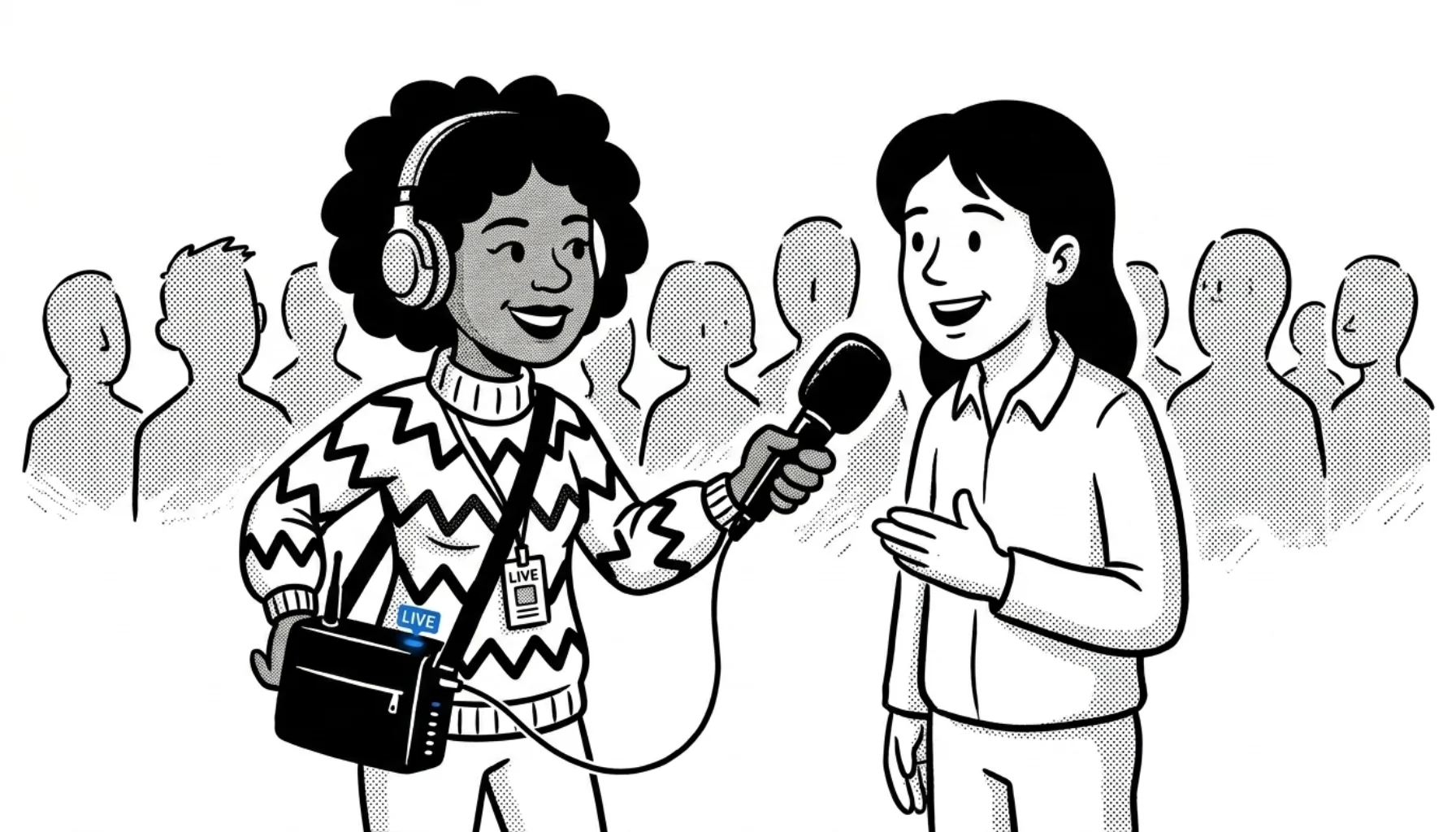
Going remote is where a station shows what it's made of. A festival booth. A sponsor activation. A correspondent at a breaking story. The format changes; the requirements don't: clean audio, a stable connection, and a way to recover when one of those fails.
This guide covers the workflow that actually holds up in the field. Gear tiered by budget, the connectivity decisions most articles skip, and the OB fundamentals (mix-minus, latency, carrier diversity) that separate a smooth remote from a stressful one.
Three remote scenarios, three workflows
Most "live broadcasting tips" posts blur every remote into one bucket. They're not the same.
- DJ on location. A club night, a beach party, a brand event. You bring the mixer, controllers, and music; the station gets a continuous music feed.
- Talk and interviews. A sponsor activation, a festival booth, an outside broadcast at a sports event. You're capturing voices, often two or three at a time, in a noisy environment.
- Correspondent / news remote. One host, light gear, a developing story. Speed and reliability matter more than production polish.
Pick the scenario before you pick the gear. The kit that makes a DJ remote work will sink a news remote, and vice versa.
Plan the connection before the gear
The most common point of failure on a remote isn't audio. It's the internet. Spend the planning time here.
Site survey. Check carrier coverage at the actual address before you commit. nPerf and Opensignal maps are decent starting points; if it matters, take a phone with each carrier's SIM and walk the spot a week ahead. Wi-Fi at the venue is a bonus, not a plan.
Carrier diversity. Two SIMs from different networks beat one SIM with a stronger signal. When a venue fills up and one carrier's tower saturates, the second carrier may still work, especially if it uses separate infrastructure.
Bonded cellular. Combining multiple connections so they back each other up is the single biggest reliability upgrade you can make. Two paths to it:
- Software: Speedify runs on a laptop and bonds Wi-Fi, Ethernet, and tethered phones into a single virtual link with automatic failover. Around $15/month. Practical for most stations.
- Hardware: a Peplink router with SpeedFusion can bond multiple WAN links. For true dual-cellular bonding you need a dual-modem model (MAX Transit Duo, BR2, or HD2). Single-modem routers like the BR1 only fail over between SIMs.
Latency target. For one-way music or pre-recorded segments, latency doesn't matter much. For two-way talk with the studio (host conversations, callers, IFB return), keep round-trip under ~250ms or the back-and-forth gets awkward fast.
Always test before you go live. Run a 10–15 minute dry stream from the location at the actual time of day you'll broadcast. Lunch traffic and evening congestion are different problems.
Gear by budget tier
A mixer-plus-controllers-plus-laptop rig is fine for a DJ remote. For talk and news remotes, here's what actually works at each tier.
Entry: laptop and a good mic
The minimum viable rig:
- A dynamic mic with good off-axis rejection (Shure SM58 or RØDE PodMic for talk; Audio-Technica ATR2100x-USB if you want USB straight in). For more options see our best radio microphones roundup.
- A USB audio interface if you're using XLR mics (Focusrite Scarlett Solo or 2i2).
- Closed-back headphones for monitoring (Audio-Technica ATH-M40x or similar).
- A laptop with BUTT or Mixxx as the encoder. CloudRadio has step-by-step setup for BUTT and Mixxx.
- A phone hotspot, ideally tethered by USB rather than Wi-Fi.
This handles most one-host remotes. Total under $400 if you already own the laptop.
Mid: bonded connection and a portable mixer
Add what most stations skip:
- A small mixer (Mackie ProFX6v3, RØDECaster Duo for talk-heavy work) so you can mix host plus guest plus a music bed without re-plugging cables on the fly.
- Speedify or a Peplink to bond two cellular connections.
- Two SIMs from different carriers.
- LUCI Live if you want a dedicated mobile broadcasting app with built-in error correction. A common professional choice for laptop-based remotes. Check current pricing before budgeting.
This is the sweet spot for most independent stations doing regular remotes.
Pro: hardware codecs
When the cost of going down outweighs the cost of the gear:
- Comrex ACCESS NX. The de-facto standard portable IP codec. Bonds multiple connections, handles mix-minus, broadcaster-grade. Around $3,500.
- Tieline ViA or Bridge-IT II. Tieline's equivalent with similar features and a slightly different workflow.
These cost what they cost because they're built to recover from things that take down a laptop. If you're broadcasting major events, sports, or news where dead air is unacceptable, this is where to be.
How mix-minus works for outside broadcasts
If your remote needs two-way talk with the studio (the host hears the studio in their headphones), you need a mix-minus. The studio sends the remote a feed of everything except the remote's own audio. Otherwise the remote talent hears themselves with a delay, which is unusable.
Most broadcast codecs provide routing tools for mix-minus, but confirm the return feed in rehearsal. The setup still matters. With a laptop rig, set up a separate return monitor channel in your mixer and route the studio return into headphones only, never back into the broadcast feed. Get this right in rehearsal, not in the moment.
Capturing clean audio outside the studio
Five things, ranked by impact:
- Use a dynamic mic, close-mic'd. Condensers pick up everything within ten feet. Dynamics reject room noise. Get the mic two to four inches from the talent's mouth and the rest of the world fades.
- Add a windscreen. A foam ball is fine for indoor crowd noise; a furry "dead cat" cover is non-negotiable for any outdoor broadcast. Wind ruins audio faster than anything else.
- Position your back to the noise source. Generators, crowds, traffic. Let the talent's body block what the mic shouldn't hear.
- Always monitor with closed-back headphones. Open-backs leak into the mic and you can't hear what's actually going out. You catch problems live, not in post.
- If you can, mix it. A small mixer with proper gain staging beats post-production noise reduction every time.
The 12-bullet noise-reduction checklists you see elsewhere try to cover everything. Most field audio problems come down to these five basics. See our audio quality guide for studio-side fundamentals.
Software and platforms in 2026
Skip the dead-platform recommendations other articles still carry. Periscope shut down in 2021. Facebook Live still exists but has dropped sharply as a primary destination.
What's actually used for remote radio broadcasting right now:
- BUTT (free). The standard lightweight encoder for streaming a single audio source.
- Mixxx (free). Open-source DJ software with a built-in broadcast feature.
- OBS (free). Overkill for audio-only but useful if you're simulcasting to YouTube or Twitch.
- LUCI Live (paid). Purpose-built for radio remotes, with audio recovery features.
- CloudRadio's mobile workflow. For stations on CloudRadio, broadcasting from a phone is straight-forward without buying anything else. See the smartphone broadcasting walkthrough.
Backups that earn their space
Bring less than you think, and prioritize what fails most often:
- A second cellular path (whether bonded or as a manual swap).
- A second mic and cable. Cables die more than mics, but both happen.
- A power bank that can run the laptop and router for the full broadcast. Size by watt-hours, not mAh. "10,000 mAh" tells you nothing useful at 12V. For a laptop plus router, budget roughly 100–200 Wh and test the exact rig before you rely on it. See our bandwidth guide for how upload demands map to power.
- A pre-loaded playlist on the studio playout so the team back home can drop into automation if your link goes black.
Skip the dedicated solar generator unless you're regularly broadcasting from places without grid power. A power bank in the 100–200 Wh range is enough for most half-day remotes.
What to test the morning of
A 30-minute pre-flight is not optional:
- Boot the rig and stream silently to the station for 10 minutes. No audio, just connection. Watch for drops.
- Check levels with the actual mic and the actual talent, in the actual position they'll use.
- Confirm the mix-minus is right. Have the studio say something while the talent talks.
- Run a one-minute "live" segment that the studio records, then play it back. Anything weird shows up here.
- Confirm fallback automation is loaded and the studio knows the cue to drop in.
The remotes that go wrong are the ones where someone skips this and trusts that what worked yesterday will work today.
When the link drops anyway
It will, eventually. Three rules:
- Don't fill the silence by panicking on air. A confident "we're going to a track and we'll be right back" buys the whole team thirty seconds of room.
- The studio drops to automation. Pre-agreed.
- You attempt one reconnect, then move to the backup path. If that also fails, you call it and come back later. A clean retreat is better than ten minutes of stuttering audio.
Remote radio broadcasting checklist
Outside broadcasts reward preparation more than equipment. A correspondent with a SM58, a laptop, two SIM cards, and Speedify will outperform a stack of pro gear that hasn't been tested. Pick the scenario, plan the connection first, tier the gear to the work, and rehearse the failure mode.
If you're running CloudRadio, most of the broadcast plumbing (encoder ingest, automation fallback, listener delivery) is already handled. Your job on the day is the audio and the connection.