Radio station equipment: the complete hardware guide
A practical 2026 guide to radio station equipment: mics, mixers, headphones, computers, and accessories, with three real budget tiers from $200 to $3,500+.
Radio station equipment does not need to be complicated. Software runs your station, but hardware shapes how it sounds. The good news: a credible internet radio studio costs less than most people think, and you can grow it one piece at a time.
This is the hub. For each piece of gear, we link to a deeper article when you're ready to compare specific models.
What you'll learn
- The two ways to build a radio studio
- Studio room basics
- Microphones, headphones, mixers, computers, and monitors
- Accessories that matter
- Three realistic budget tiers
- What to buy first
Two ways to build a radio studio
Turnkey: companies like Clyde Broadcast (UK) or Eletec (France) deliver a ready-made studio with furniture, mics, mixer, monitors, and software installed. Fast, predictable, expensive. Best when you're outfitting a commercial station and want zero assembly.
Component by component: buy each piece and assemble it yourself. Slower, much cheaper, and you learn your setup intimately. Almost every internet broadcaster goes this route.
The rest of this guide assumes the second path.
Typical signal chain: microphone → mixer or interface → computer → broadcasting software → streaming platform → listeners.
The studio room
Before any gear: pick a small room and treat it. A walk-in closet, a corner of a bedroom, a converted office. They all work. Two different problems to handle:
- Acoustic treatment kills echo and reflections inside the room. Carpets, heavy curtains, foam panels, a couch. Anything soft and absorbent.
- Soundproofing keeps outside noise out. That's heavier work: solid doors, weather seals, sometimes double drywall.
Quick test: clap your hands while walking around. If you hear echo, treat the room before you spend a dollar on a mic. A $50 microphone in a treated room beats a $400 mic in a bare one.
Microphone
Three families, simplified:
- Dynamic: rugged, forgiving in untreated rooms. The default for radio hosts. The Shure SM7B is the broadcast cliché for a reason.
- Condenser: more detail, more sensitivity, less forgiving of room noise. Great in a treated studio.
- USB: a microphone with the audio interface built in. Plug into a computer and broadcast. The fastest way to start.
→ Deep dive: Best radio microphones in 2026
Headphones
Closed-back studio headphones. You need to monitor yourself and your guests without bleed leaking back into the mic. Open-back models sound great for music but cause feedback loops on air.
→ Deep dive: Best studio headphones for radio and podcast studios
Mixer or audio interface
If you only ever have one mic and one computer, you can skip the mixer and use a USB mic or a small audio interface (Focusrite Scarlett Solo, for example).
You need a mixer the moment you add a second mic, a phone line, a hardware music player, or any second input. A broadcast mixer also gives you faders, cue buses, and mic ON sensing that mute the speakers automatically.
→ Deep dive: How to choose a radio station mixer
Computer
Any modern computer with 16 GB of RAM, an SSD, and a reliable wired internet connection will run broadcasting software comfortably. The bottleneck for internet radio is rarely CPU; it's audio drivers and network stability.
→ Deep dive: Best computer for broadcasting and podcasting
Monitor speakers
Optional but useful. A pair of small near-field monitors (Mackie CR series, Yamaha HS5, KRK Rokit) lets you mix and preview content between segments. Disable them automatically when the mic is hot. Most broadcast mixers handle this.
Accessories that matter
- Boom arm: anchors the mic to your desk and keeps it at mouth height. Skip the cheap clamp stands.
- Pop filter: kills plosives ("p" and "b" sounds). Costs about as much as lunch.
- XLR cables: buy one extra. They fail at the worst moment.
- Shock mount: isolates the mic from desk thumps.
- Wired internet and backup power: use Ethernet when possible, and add a small UPS if live shows matter to you.
Broadcasting software
Hardware captures sound. Software encodes, automates, and ships it to listeners.
→ Deep dive: The internet radio broadcaster's toolkit
For automation and the music library that runs your station 24/7, CloudRadio handles the playlist and listener-side delivery so you can focus on the studio side.
Three realistic budget tiers
Prices below are ranges and shift with the market. Use them as anchors, not quotes.
Starter: about $200
- Mic: Samson Q2U or RØDE PodMic USB (USB/XLR dynamic)
- Headphones: Audio-Technica ATH-M20x or Sony MDR-7506
- Pop filter and desk stand
- Software: Mixxx (free) or RadioDJ (free)
One host, one mic, one computer. Enough to broadcast a daily show.
Small studio: about $1,200 to $1,600
- Mixer: Behringer Xenyx Q1202USB or Mackie ProFX series
- Mics: 3× Shure MV7+ or RØDE PodMic XLR
- Headphones: 3× Audio-Technica ATH-M30x
- Boom arms and pop filters for each station
- Audio interface or USB output on the mixer
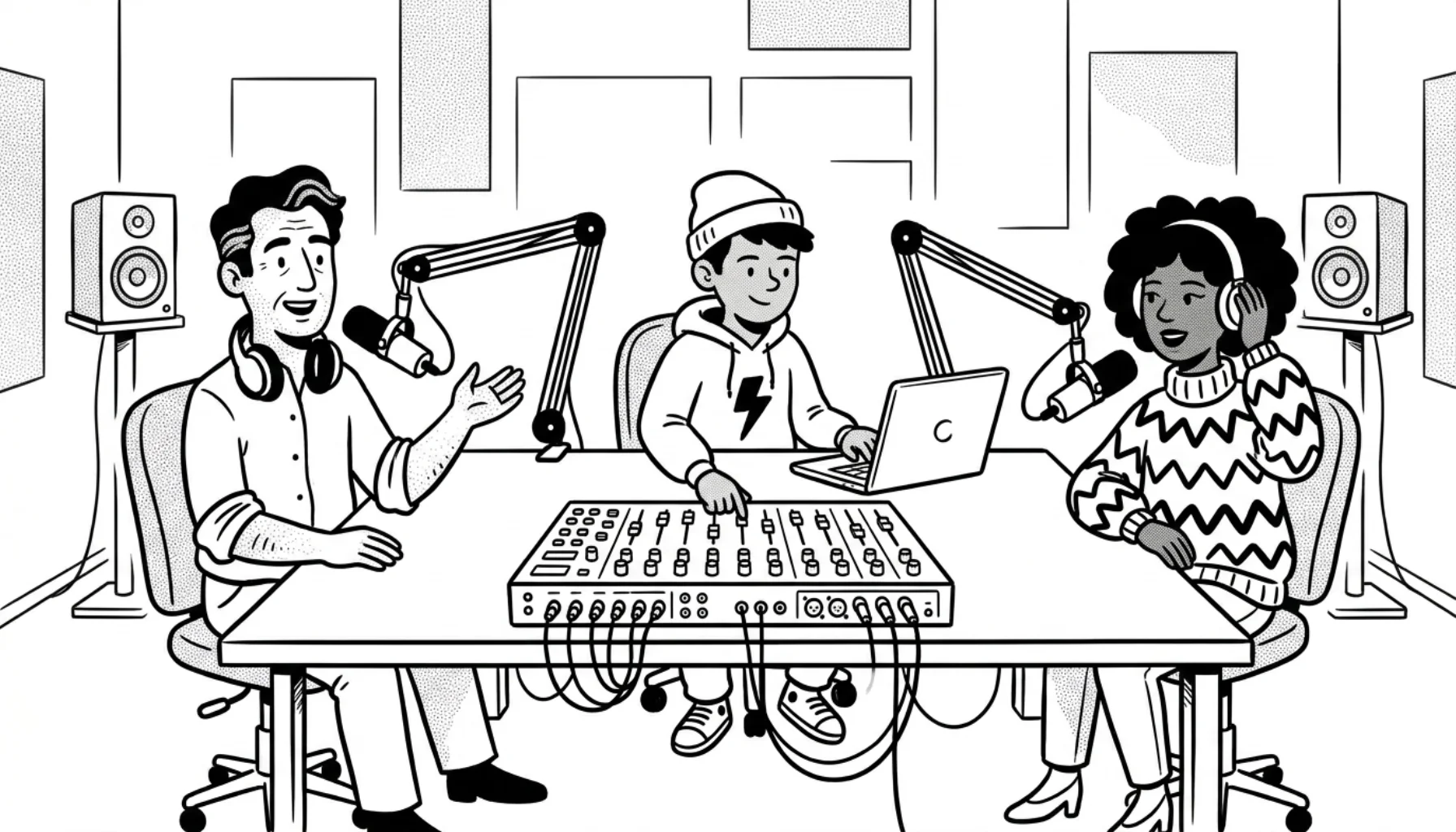
You plus two guests, a live talk format, or a roundtable show.
Pro: about $3,500+
- Mixer: Allen & Heath ZEDi-10FX for a compact studio, or a dedicated broadcast console for daily live radio
- Mics: 3× Shure SM7B or RØDE PodMic USB
- Headphones: 3× Beyerdynamic DT 770 PRO (80 Ohm)
- Monitors: Mackie CR4-X or Yamaha HS5 pair
- RØDE PSA1+ boom arms, premium XLR cables, shock mounts
- Treated room with proper acoustic panels
If you choose SM7Bs, make sure your mixer or interface supplies enough clean gain (the SM7B needs roughly +60 dB). Otherwise, budget for inline preamps like the Cloudlifter, or pick the active SM7dB variant.
The setup most professional internet stations end up with after a year or two of upgrades.
What to buy first
If you're starting from zero with limited budget:
- Treat the room (free to $100).
- One good dynamic mic and a closed-back headphone (~$150 combined).
- Reliable computer you already own.
- Free broadcasting software.
Add a mixer when you add a second voice. Add monitors when you start producing pre-recorded segments. Don't buy ahead of what your show actually needs.
Frequently asked questions
What equipment do I need for an internet radio station? At minimum: a dynamic microphone, closed-back headphones, a reliable computer, and broadcasting software. Add a mixer once you have more than one voice on air.
Can I start with just a USB microphone? Yes. A USB mic like the Samson Q2U or RØDE PodMic USB is enough for a solo host. You can move to XLR and a mixer when the show grows.
Do I need a mixer for internet radio? Only when you have a second input (a co-host mic, a phone line, a hardware music source). For a single-host show, an audio interface or a USB mic is enough.
How much does radio station equipment cost? Around $200 for a starter setup, $1,200 to $1,600 for a small multi-mic studio, and $3,500 and up for a professional studio with broadcast-grade gear.
Are monitor speakers necessary? Not at first. Closed-back headphones cover monitoring during live shows. Monitors help when you start producing pre-recorded segments.
Once your studio is ready, CloudRadio gives you the browser-based place to upload, schedule, and broadcast it.