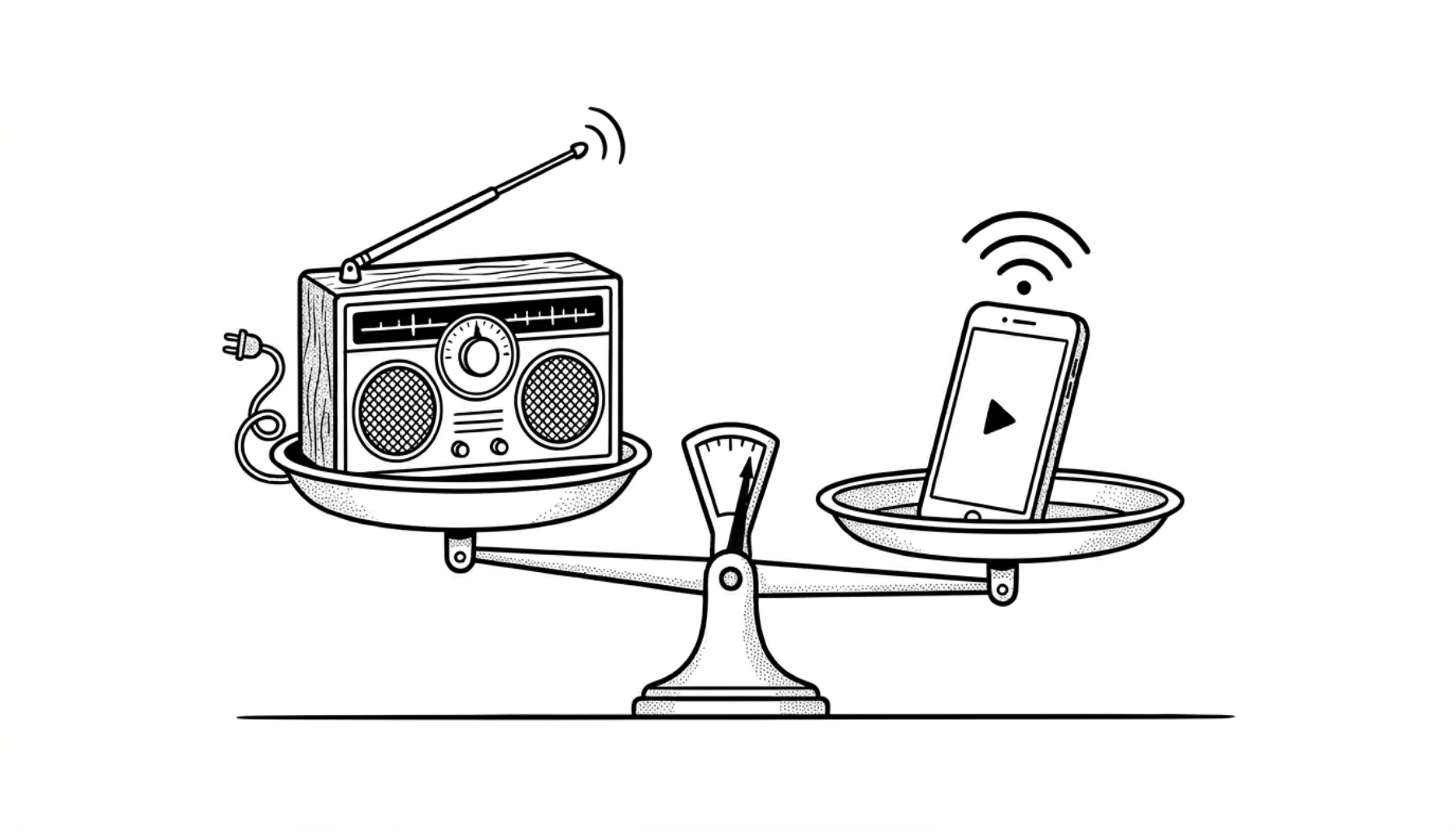
How to Start an Internet Radio Station in 2026
Learn how to start an internet radio station with our complete 2026 guide. Covers equipment, software, hosting, licensing, and promotion strategies.
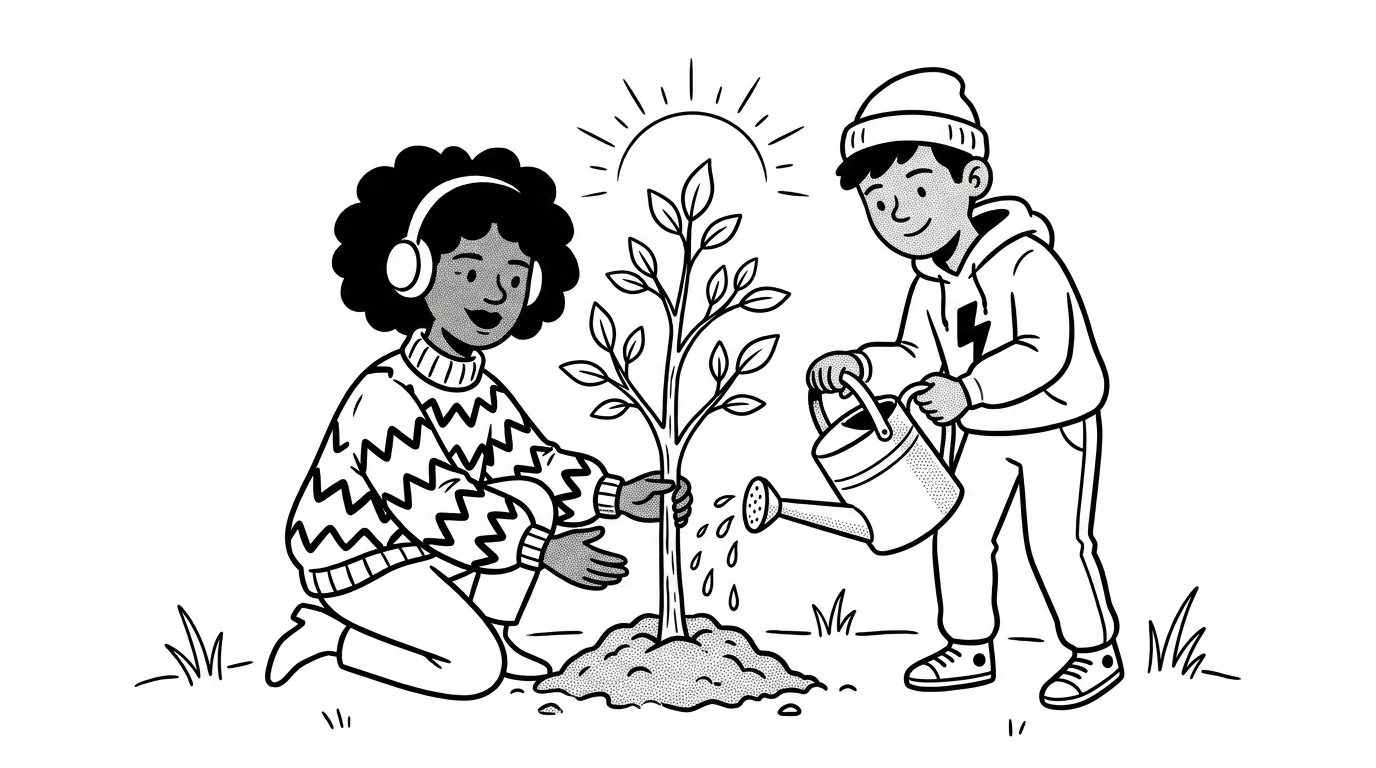
An internet radio station broadcasts audio over the web instead of traditional AM/FM airwaves.
Starting one is easier and cheaper than most people think. You don't need a broadcast license, expensive equipment, or technical expertise. Many stations launch in under an hour.
Streaming platforms feed listeners algorithms. Internet radio gives them a host, a curator, a community. That's why thousands of new stations launch every year, even with Spotify and Apple Music dominating headlines.
What you'll learn
- Why internet radio is growing in 2026
- How to plan your station concept
- How online radio works
- What equipment and software you need
- How to choose a radio platform
- Music licensing basics
- How to get your first listeners
- How to make money with internet radio
- Common questions answered
How to Start an Internet Radio Station in 6 Steps
If you want the short version, here is the launch path:
- Choose a focused station concept
- Pick a radio platform
- Upload music or connect live broadcasting software
- Set your AutoDJ rotation or schedule
- Test your player and stream links
- Share your station and promote it consistently
You can do this the hard way with self-hosted servers, encoder configs, and separate tools. Or you can use CloudRadio One to get the station server, AutoDJ, player, widgets, monitoring, and listener stats in one plan.
Why Start an Internet Radio Station in 2026?
Internet radio is no longer a niche hobby. It's a mainstream medium with a massive audience.
The Numbers Tell the Story
Radio remains one of the most powerful audio mediums. According to Pew Research, 82% of U.S. adults listen to terrestrial radio weekly. But online audio is catching up fast.
Edison Research's Infinite Dial 2025 reports that 228 million Americans (79% of the population 12+) now listen to digital audio monthly. That includes streaming music, podcasts, and internet radio.
The global internet radio segment is projected to reach $66.5 billion by 2028, according to industry analysts. The U.S. accounts for the largest share, with broadcast and streaming combined estimated at $12.48 billion.
Key trends driving growth:
- 73% of Americans listen to online audio weekly
- 32% of people now listen to online radio in cars (up from 28% in 2018)
- Adults 55+ are the fastest-growing segment, up 11% year-over-year
What's Driving This Growth?
Smartphones everywhere. 91% of Americans own a smartphone. That's a streaming device in nearly every pocket.
Smart speakers in homes. 35% of Americans own a smart speaker. "Alexa, play my radio station" is now a common command.
Connected cars. 40% of drivers now have Apple CarPlay or Android Auto. 74% still use AM/FM in the car, but internet radio is growing fast.
More listening time. Americans spend 4 hours and 5 minutes daily with audio content. That's nearly 20% of every waking day.
Internet Radio vs Traditional Radio
Why choose internet over AM/FM?
| Factor | Internet Radio | AM/FM Radio |
|---|---|---|
| Startup cost | $15-50/month | $15,000-100,000+ |
| License required | No (for streaming) | Yes (FCC in US) |
| Geographic reach | Global | Local (limited miles) |
| Audio quality | CD-quality possible | Limited by bandwidth |
| Technical skills | Basic | Significant |
| Time to launch | Hours | Months to years |
The barrier to entry has never been lower.
Planning Your Station Concept
Before you touch any equipment, answer three questions.
Who Is Your Audience?
"Everyone" is not an audience. The best internet radio stations serve a specific community, and the more clearly you can picture that community the better.
Think about who they are, where they live, and what language they speak. Picture the moment they reach for your station. Are they working in the background? Driving home? Winding down at 1 AM? Then ask the most useful question of all: what are they not getting from existing stations or playlists? That gap is your opportunity.
A station playing "90s hip-hop for the late-night study crowd" already feels like a real station. "Hip-hop radio" feels like an empty folder.
What's Your Format?
Most stations fall into one of three buckets. Music-focused stations live and die by curation, but they can run 24/7 on automation once the rotation is dialed in. Talk-focused stations skip music licensing entirely, but they need active production: scripts, guests, edits. Hybrid stations get the best of both worlds, with talk during peak hours and automated music filling everything else.
You'll also need to decide between live and automated programming. Plenty of successful stations are 100% automated. Others go live a few hours a day and let automation cover the rest. There's no wrong answer, only the answer you can actually keep up with.
See our guide on radio station formats for more inspiration.
What's Your Schedule?
Consistency matters more than quantity. A station that broadcasts four great hours every day beats one that goes live on random days. Listeners build habits around reliable programming, and habits are what turn casual visitors into regulars.
Start small. One live show per week plus 24/7 automation is enough to build an audience.
What's Your Station Promise?
Listeners should understand your station in one sentence.
Try this format:
We play [format] for [audience] who want [specific benefit].
Examples:
- "Deep house for late-night remote workers."
- "Local sports talk for Halifax fans."
- "Faith-based music and messages for Sunday mornings."
- "Classic country for drivers who miss real radio DJs."
This promise guides your music, show names, artwork, jingles, and promotion.
What Should Your Station Look and Sound Like?
Your brand does not need to be expensive, but it does need to be memorable. The goal is for someone to recognize you within a few seconds of tuning in, even on a stranger's car radio or a coffee shop speaker.
The basics are a short station name, a simple logo or wordmark, a consistent color palette, three to five station IDs or jingles, and a clear voice for your social posts and announcements. None of that requires a budget. It just requires a decision.
Strong stations feel familiar after a few minutes because the music, imaging, host tone, and schedule all point in the same direction.
How Internet Radio Works
Understanding the basics helps you make better decisions. Here's the simple version.
The Three Components
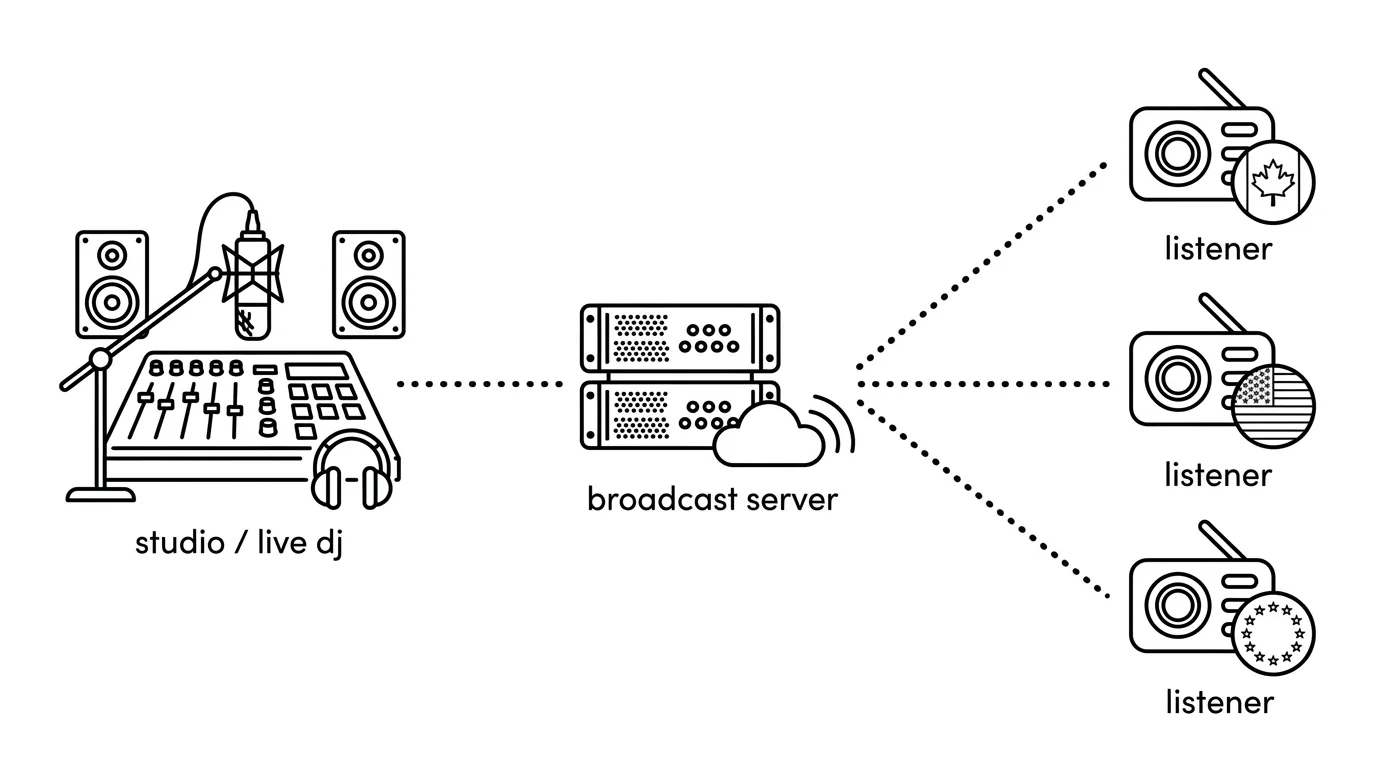
Every internet radio station has three parts:
- Source (you or your automation software)
- Server (distributes your stream)
- Listeners (receive your stream)
The Flow
Your audio source, whether a microphone, music player, or automation software, sends audio to an encoder. The encoder compresses that audio and ships it to your streaming server. The server then accepts connections from anyone who clicks "play" on your website or app, and streams the audio directly to them.
Think of it like a radio tower, except instead of broadcasting over airwaves you're sending data over the internet.
Do You Need Your Own Server?
Technically, you could run a server on your home computer. In practice, you almost certainly shouldn't.
Home internet has upload limits. At 128 Kbps, a 5 Mbps upload connection supports roughly 40 simultaneous listeners before things start breaking. Your computer also has to stay on around the clock, so any crash, reboot, or internet hiccup takes you off the air. And running a public server from home exposes your network to traffic and risks you don't want.
That's why most broadcasters use a hosted radio platform like CloudRadio. You focus on content. The platform handles the infrastructure.
CloudRadio One bundles all of it: AutoDJ, unlimited listeners, and a streaming server that's always online for $39/month.
What Equipment Do You Need?
Here's the truth: you don't need any equipment to start.
Many successful internet radio stations run entirely on automation. They upload music, create playlists, and let the AutoDJ handle everything.
If you want to host live shows, here's what to consider. Our essential tools for internet radio covers this in more depth.
The Minimum Setup
Just a computer. A laptop with a built-in microphone works for testing. You can be on air in minutes with free software.
Cost: $0 (if you already have a computer)
The Budget Setup
USB microphone + computer. A USB mic plugs directly into your laptop. No mixer needed. Quality is good enough for internet streaming.
Recommended mics under $100:
- Audio-Technica ATR2100x-USB (~$79)
- Samson Q2U (~$70)
- Fifine K669B (~$30)
Cost: $30-100
The Semi-Pro Setup
XLR microphone + USB audio interface + headphones. This setup gives you better sound quality and more control.
- Dynamic XLR microphone: Shure SM58 (
$100) or Rode PodMic ($99) - USB audio interface: Focusrite Scarlett Solo (~$120)
- Closed-back headphones: Audio-Technica ATH-M20x (~$50)
Cost: $250-400
See our best radio microphones guide for picks by use case, and our radio station equipment guide for everything else.
What About a Mixer?
You only need a mixer if you're:
- Connecting multiple microphones
- Taking live phone calls
- Mixing external audio sources
For solo shows or small setups, a USB interface handles everything.
What Software Do You Need?
You need two things: something to play audio and something to send it to your server.
Playout Software (What Plays Your Audio)
For automated stations:
- PlayIt Live (free, Windows)
- RadioDJ (free, Windows)
- Mixxx (free, Windows/Mac/Linux)
For DJ-style shows:
- Mixxx (free)
- Virtual DJ (free for non-commercial)
- Serato DJ (paid)
For voice-focused shows:
- Audacity for recording
- Your playout software for live
Encoder (What Sends Your Audio)
Some playout software includes an encoder. If not, use a standalone encoder:
- BUTT (Broadcast Using This Tool) - free, simple
- Audio Hijack (Mac only, captures any audio)
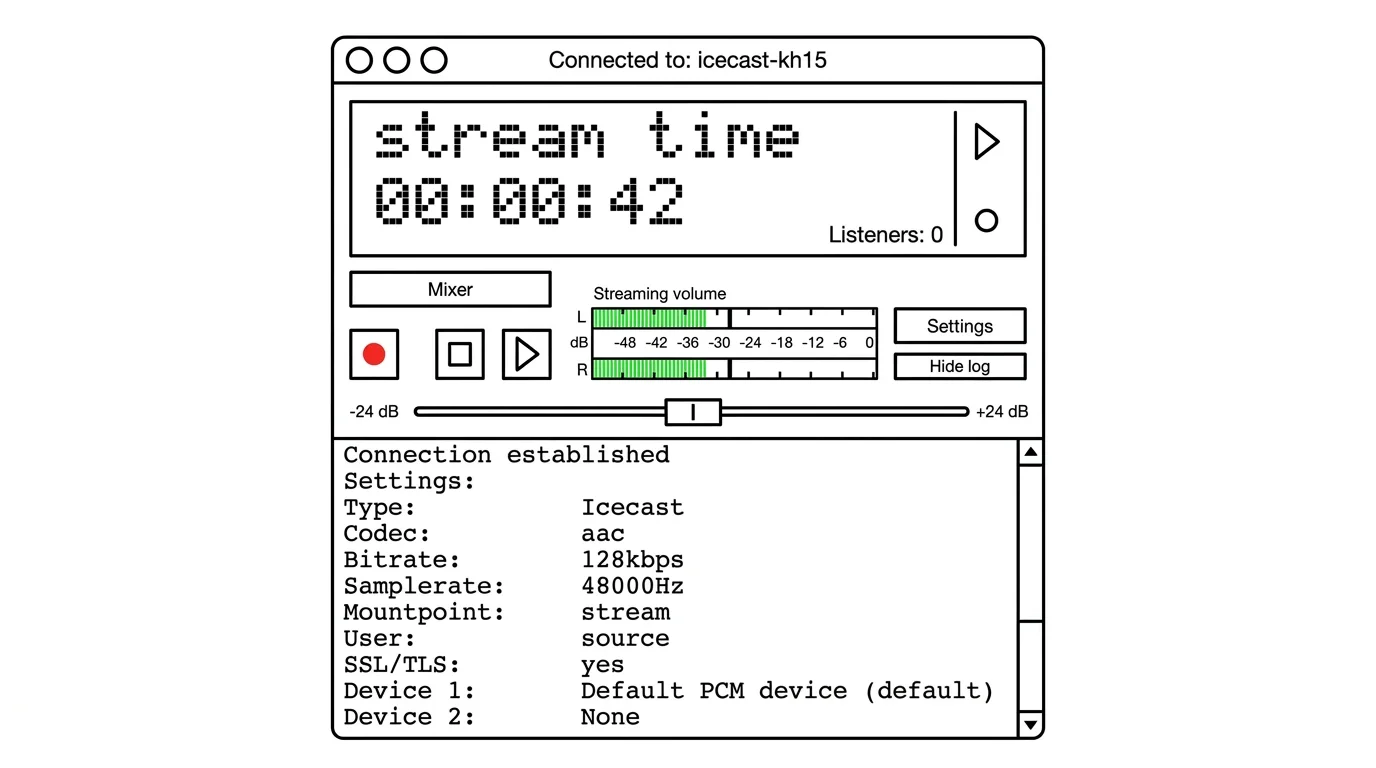
The encoder connects to your streaming server using credentials from your radio platform. It takes audio from your sound card and sends it to the server.
See our complete radio broadcasting software comparison for more options.
Choosing a Radio Platform
Your radio platform runs the server that delivers your stream to listeners.
It also decides how much work you do every week.
A basic host may only give you a stream URL. A full radio platform gives you automation, live inputs, a web player, analytics, and fallback behavior when a live source disconnects.
What to Look For
A few things separate a basic streaming host from a real radio platform.
Simple pricing. Some platforms bill by listener slots, listening hours, bitrate, storage, or add-ons. The math gets confusing fast. CloudRadio One is one plan at $39/month, and that's it.
Unlimited listeners. Listener caps make promotion stressful. Your bill should not jump because a show works or because someone shared your link.
Built-in AutoDJ and live fallback. AutoDJ keeps your station running 24/7 even when you're not at the mic. And if your live encoder disconnects, the station should fall back to automation instead of going silent.
Modern streaming. HLS works well on phones, browsers, and unstable mobile networks. Legacy Icecast still helps with older players and directories, so you want both.
Player, widgets, and analytics. You need a web player, a listen link, a now-playing widget, and stream URLs you can submit to directories. You also need analytics: real-time listeners, listening hours, geography, devices, and track history.
Storage. Automation needs room for music, IDs, sweepers, and recorded shows. CloudRadio One includes 750 GB, which is more than enough for most stations.
Typical Costs
Basic stream hosting can start under $10/month. That may be fine for a single Icecast or Shoutcast stream.
But many stations quickly need more than a stream URL. Automation, storage, players, widgets, monitoring, and statistics are usually separate limits or upgrades.
CloudRadio One is built for that full station workflow. It includes AutoDJ, unlimited listeners, HLS + Icecast, 750 GB storage, live inputs, player widgets, monitoring, and stats for $39/month.
Do You Need a License?
For the streaming server itself: No.
Unlike FM radio, you don't need government permission to stream online.
For the music you play: Usually yes.
If you broadcast copyrighted music, you need licenses to pay royalties to artists and rights holders.
Music Licensing Basics
In the United States, you typically need:
- SoundExchange license (for digital performance royalties)
- ASCAP, BMI, or SESAC license (for songwriter royalties)
- GMR in some cases (for represented songwriters)
Costs vary based on your revenue and listener count. Small non-commercial stations may pay $500-1,000/year total.
If you broadcast outside the United States, rules change by country. Some broadcasters also restrict listening by geography to simplify rights.
This is not legal advice. If your station will play commercial music, check the rules for your country before launch.
Ways to Avoid Licensing
Royalty-free music. Services like Epidemic Sound, Artlist, or free music libraries provide tracks you can stream without additional royalties. Our royalty-free music guide covers the best sources.
Original content. Talk shows, interviews, and your own original music don't require performance licenses.
Creative Commons. Some artists release music under licenses that allow streaming.
Getting Your First Listeners
You've launched your station. Now what?
Do You Need a Website?
No. You can launch with just a direct listen link and your social profiles.
But a simple website helps people understand your station, and gives them one place to find your player, schedule, contact form, and show notes. At minimum, build one page with an embedded radio player, your station promise, your weekly schedule, links to your social profiles, and a contact or request form. That's enough to look professional from day one.
Build Your Online Presence
A simple website goes a long way. Embed your radio player so visitors can listen in one click, and make sure it works well on mobile. Even a single-page site is enough to start.
Then go where your audience already spends time. Social media is the fastest way to share your schedule, featured tracks, and behind-the-scenes content.
Don't skip directories. Submitting your station to internet radio directories like TuneIn, Streema, and Radio.net opens you up to listeners who actively search for new stations to try.
Promote Consistently
Stick to a schedule. Regular programming builds habits, and habits are what turn one-time visitors into a real audience. If you go live at 7 PM every Tuesday, people start to plan around it.
Cross-promote everything you make. Turn radio interviews into podcast episodes. Pull short clips for social media. Repurpose every show in two or three places.
Engage with your audience directly. Respond to messages, take requests, and treat listeners like collaborators. You're building a community, not just a broadcast. Our complete guide to promoting your internet radio station goes deeper.
How to Make Money with Internet Radio
You don't need a revenue plan on day one. But you should know the common paths most stations take.
Sponsorships
Local businesses, niche brands, and community organizations often sponsor shows that match their audience. A small station with a focused community can be more valuable to a sponsor than a generic station with bigger numbers, because the conversation is targeted. See our guide on finding advertisers for your radio show.
Listener Support
Many stations fund themselves directly through the people who listen. Memberships, donations, Patreon tiers, and merch all turn loyal listeners into a recurring income stream. Community, faith, and genre stations often raise meaningful budgets through listener fundraising alone.
Advertising
Beyond sponsorships, you can sell host-read ads, audio spots, banner placements on your website, or sponsored playlists. Track your audience numbers before pitching anyone. Listener counts, listening hours, and geography make the conversation concrete. Our local radio advertising guide walks through the basics.
Events and Partnerships
Stations can promote local events, DJ nights, church gatherings, classes, or community fundraisers. Your stream becomes the always-on channel and the event becomes the revenue opportunity. Many of the most sustainable independent stations earn more from events than from ads.
Common Questions
How much does it cost to start?
Radio platform: $15-50/month depending on the provider. CloudRadio One is $39/month with unlimited listeners.
Budget setup: $50-150 upfront for a USB microphone and headphones, plus monthly hosting.
Semi-pro setup: $300-500 upfront for quality equipment, plus monthly hosting.
See our detailed radio station cost breakdown.
Do I need technical skills?
No. You need to understand the basic flow: source, server, listeners.
A platform like CloudRadio One removes most server work. You upload music, set a rotation, and share your player.
Do I need a website?
No. A listen link is enough to launch.
A website helps once you promote seriously. It gives listeners one place to play the station, read the schedule, and contact you.
Can I run a station from my phone?
For basic DJing, yes. Some radio apps support going live from a phone. But for serious broadcasting, you'll want a computer.
Can I broadcast from anywhere?
Yes, if you have a stable internet connection.
For live shows, your encoder sends audio to the station server. For automated shows, your platform keeps playing even when your computer is offline.
What happens if my internet drops?
If you are live, the stream from your computer may disconnect.
With CloudRadio automation, AutoDJ resumes when the live source drops. That prevents dead air while you reconnect.
Can I have guests or callers?
Yes. Most stations use Zoom, Cleanfeed, Discord, Skype, or a mixer setup for guests. See our guide to live calls on internet radio.
CloudRadio One also supports two live inputs: Studio and Guest. That lets a guest connect without replacing your main live source.
How do I make money with internet radio?
Common revenue streams:
- Sponsorships and advertising
- Listener donations and memberships
- Merchandise sales
- Live event promotion
See our guide on making money with internet radio.
What makes a station successful?
Three things, really. Consistency comes first: show up regularly, because dead air kills audiences faster than anything else. Our list of common radio station mistakes covers the rest.
Quality audio is next. A clear stream at 128 Kbps beats a crackling stream at 320 Kbps every time. Monitor your stream health and read our audio quality guide to dial it in.
Finally, community. Stations that thrive treat listeners as participants rather than passive consumers. Build listener engagement into every show and the audience returns the favor.
Should I broadcast live or use AutoDJ?
Use both if you can.
AutoDJ gives your station consistency. Live shows create connection.
Start with automation first. Add live shows when you can keep a reliable schedule. Voice tracking is a useful middle ground if you can't go live regularly.
What bitrate should I stream at?
128 Kbps is the sweet spot for most stations. It sounds good and works on slower connections.
64 Kbps works for talk radio where music quality matters less.
192-320 Kbps sounds excellent but excludes listeners on limited data plans or slow connections.
When in doubt, start at 128 Kbps. Read our audio quality guide for deeper detail. You can always upgrade later.
How do I sound professional?
A few small habits separate hobby stations from stations that sound like real radio.
Use audio processing. Compression and limiting even out volume levels so quiet songs don't follow loud ones at jarring levels. Most automation software includes basic processing built in.
Invest in station imaging. Short audio elements between songs (station IDs, jingles, sweepers) are what make you sound like a station instead of a playlist. Our radio imaging guide walks through how to build a set.
Keep your levels consistent. Normalize your music library so loudness stays predictable across the rotation. And eliminate dead air by configuring your automation to crossfade or skip gaps. Silence kills momentum faster than almost anything else.
Going Live: Broadcasting in Real-Time
Automation handles the baseline. Live shows create connection.
When to Go Live
Peak listening happens during morning commutes (6-9 AM) and the evening wind-down (6-10 PM) in your target timezone. That's where you get the most ears for the same hour of effort.
Consistent slots beat occasional brilliance. "Every Tuesday at 7 PM" builds audience habits in a way that random one-off shows never can.
Special moments are worth the extra effort. Album releases, holidays, and community events are exactly the kind of programming that makes listeners share your station with a friend.
The Technical Setup
To broadcast live, your playout software sends audio to your server instead of (or alongside) the AutoDJ.
- Configure your encoder with server credentials from your radio platform dashboard
- Start your playout software
- Connect the encoder
- The server switches from AutoDJ to your live feed
When you disconnect, the AutoDJ resumes automatically.
Live Show Best Practices
Prep your playlist in advance so you're never scrambling for tracks mid-show. Test your audio levels before going live. A 60-second soundcheck prevents most disasters.
Always have backup content ready. If a guest cancels or your laptop freezes, you should be one click away from automation taking over.
Above all, engage with listeners. Read messages on air. Take requests. Acknowledge regulars by name. Live radio shines when it feels like a conversation rather than a broadcast.
See our guide on live broadcasting tips for more.
Start Today
Internet radio has never been more accessible. The technology is simple. The costs are low. The audience is there.
You don't need perfect equipment or a fancy studio. You need a computer, a radio platform, and something worth saying.
Or explore more guides: