
Serato DJ has no built-in encoder, so it can't connect to a radio server by itself. Serato DJ Pro and Serato DJ Lite can make their audio output available to other applications, and an encoder such as BUTT streams it to your station.
Software information
Platform: Windows & macOS
Licence: Serato DJ Lite is free. Serato DJ Pro is a paid subscription or purchase
Server type: Needs an external encoder
Download Page: https://serato.com/dj/pro/downloads
Key features
The program's simplicity means that there is no steep learning curve. You still get all the features to host mix-music shows even without external controllers. Its outstanding features include:
- 4-decks
- iTunes integration
- Fx effects
- Streamlined design
- Support for video file formats
Install Serato DJ
Download Serato DJ for your operating system. Even without purchasing a license, you can use Serato to dj with your computer. Now, after the download, in Windows:
- Open the zip file to access the .exe file
- Run the installer
- Launch Serato DJ
Send Serato's audio to other apps
- In Serato DJ, click the setup cog on the right of the top toolbar.
- Open the Audio tab and check Make Audio Available to Other Applications.
- The first time, Serato shows a popup that directs you to a virtual audio device. On macOS, use Serato Virtual Audio, bundled with Serato DJ Pro 2.5.5 and Serato DJ Lite 1.5.5 or later. On Windows, install Virtual Audio Cable.
- Once the device is installed, go back to the Audio tab and check the box again.
Serato's audio is now available as an input device named Serato Virtual Audio (macOS) or Virtual Audio Cable (Windows). Serato's own live streaming guide has the details.
Stream with BUTT
BUTT is a free encoder for Icecast and Shoutcast.
- In BUTT, open Settings > Audio and set Audio Device to Serato Virtual Audio or Virtual Audio Cable.
- Add your server with the connection details from Studio. See BUTT for each field and Broadcasting Live for where to find them.
- Click the play icon in BUTT to connect.
If a station booked you for shows, use mount /dj and your own username and password from My shows, with BUTT in Icecast mode. See Going Live as a DJ.
Any other encoder that can stream from an audio input device works the same way. Serato's guide itself uses OBS, for video streams to platforms such as YouTube or Twitch.
Start broadcasting
- Create a Crate
- Drag and drop music files directly into it to build a playlist
- Load them onto the decks
- Click the Play button.
- You can activate Autoplay from the bottom toolbar
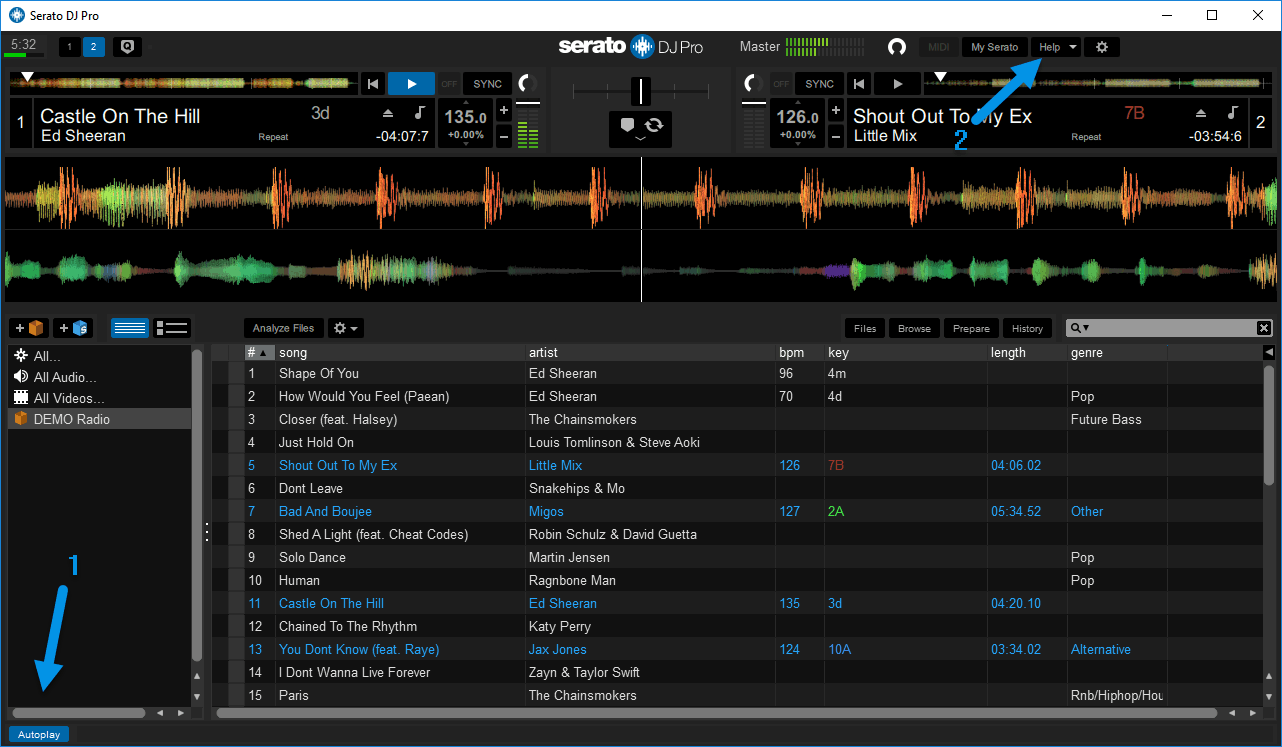
You can access help articles within the interface, as shown above (2).
Need an alternative to Serato DJ? Explore over 20 radio automation, DJ, and encoder programs on our broadcast software guide.