Learn how to set up Altacast Standalone with your streaming server. This version is free to use as an encoder alongside other programs.
Software information
Platform: Windows
License: Free
Server type: SHOUTcast 2, SHOUTcast 1, Icecast
Download Page: https://altacast.software.informer.com/
Overview
Altacast is a continuity of Oddcast/Edcast (reborn) that were free, open-source encoders.
Key features
- With Altacast Standalone, you can set up multiple streams.
- Record your stream
- Retrieve the metadata from a URL, file, or update it manually.
We'll use version 1.1 for this tutorial.
Connect to your server
Install Altacast
- Proceed with the download and run the installer
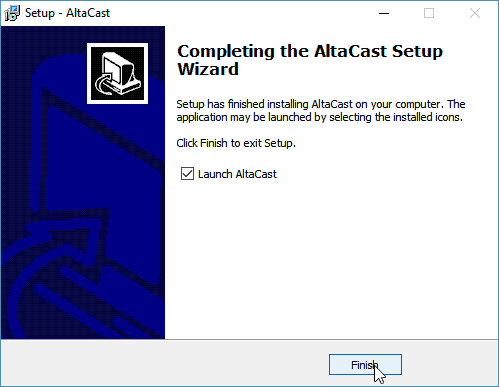
If you want to broadcast in AAC or MP3 codecs, leave Launch AltaCast unchecked. Then click Finish.
You will need to download files that will allow you to stream with MP3 or AAC.
- Download the MP3 Lame 3.100 from RareWares.
- Also, download the libFAAC dll for Win32.
- Extract the files (lame, lame_enc.dll & libfaac.dll), and copy them to the Altacast directory (e.g. C:\Program Files\altacast)
Configure the encoder
- Launch AltaCast.
- Click Add Encoder.
- Right-click the encoder and select Configure.
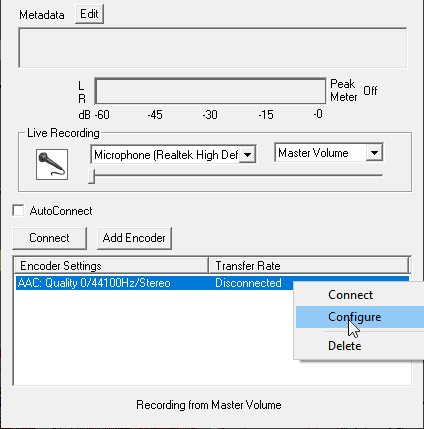
You'll need your connection details from Studio. See Broadcasting Live for where to find your server address, port, mount point, username, and password.
Enter server details
Enter the values from Studio into the corresponding fields in the encoder. Match the server type (Icecast or Shoutcast) to your radio's configuration.
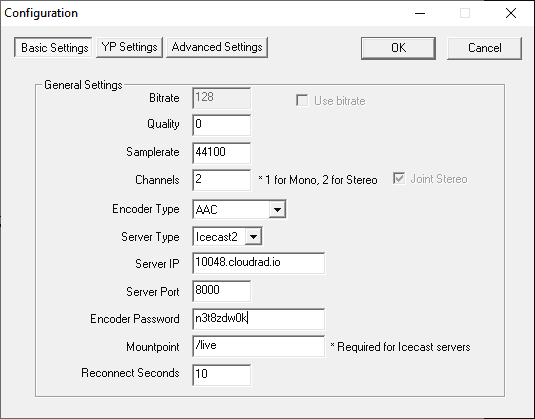
Audio stream settings:
- We recommend 128 Kbps for MP3 or 64 Kbps for AAC.
- Click OK to finish.
Start broadcasting
- Right-click on your encoder.
- Select Connect.
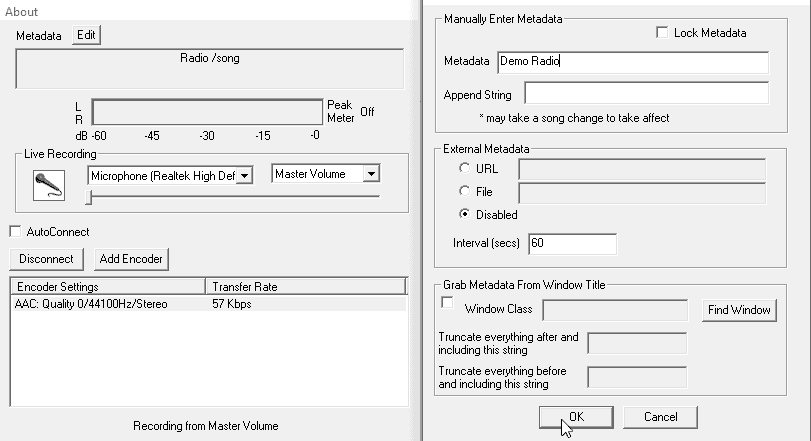
Configure metadata
It's simple to specify the URL, file, or custom metadata. On the main window, click Edit next to Metadata.
Altacast will now stream audio from your microphone. If you don't have the option to capture sound from your sound card, try using it alongside Voicemeeter.
Need an alternative to Altacast (formerly Oddcast/Edcast)? Explore over 20 radio automation, DJ, and encoder programs on our broadcast software guide.