RadioBOSS is one of the best radio automation software for internet broadcasters. Find out how to install and connect it to your broadcasting server.
Software information
Platform: Windows only
License: Trial and Commercial
Server type: SHOUTcast 2, SHOUTcast 1, Icecast
Download Page: https://www.djsoft.net/
Overview
It's one of the best radio management software on the market. RadioBOSS prides itself on its simplicity and professional features. You can run your entire station with it.
Key features
We like its numerous pro features, which include:
- Crossfade support
- Advertisement scheduler
- Automated playlists
- Automated broadcasting & Live broadcasting
- An event scheduler that performs actions like playing tracks and ads
- Support for all types of sound cards
- Streaming for Shoutcast and Icecast
Connect to your server
Install RadioBOSS
- Directly download the Windows version trial here.
- Buy the software here or compare different paid versions.
After the download:
- Open the downloaded .exe file to run the setup wizard
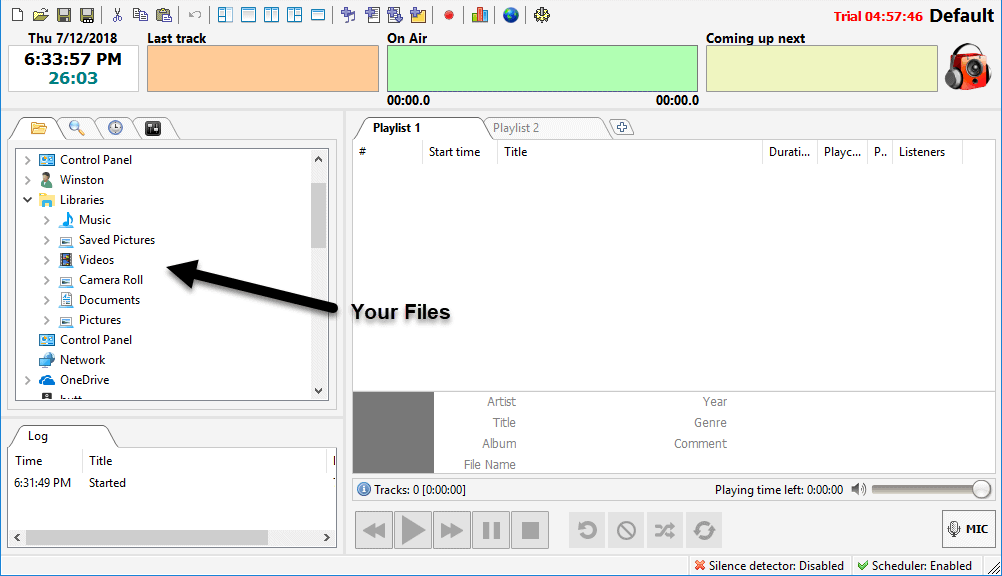
- Launch RadioBOSS
Configure the encoder
- On the main menu, click Settings > Options > Broadcast.
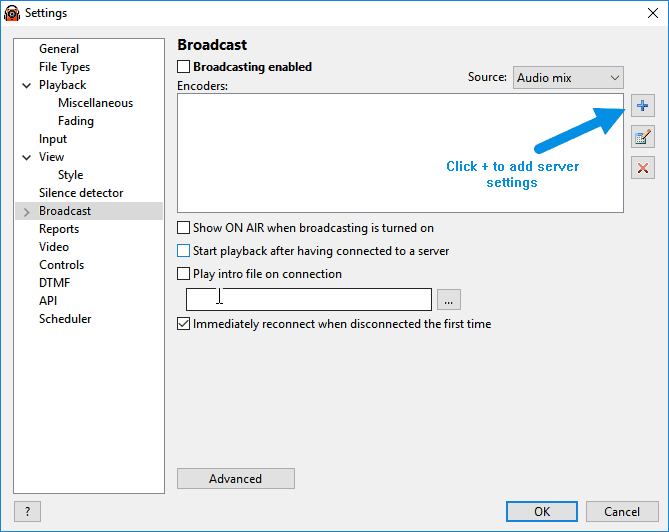
- On the Encoder, click Configuration Wizard
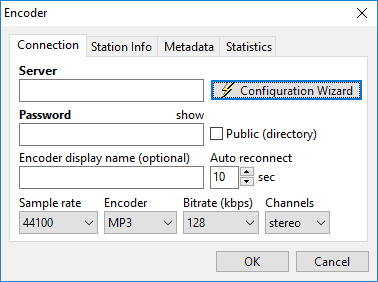
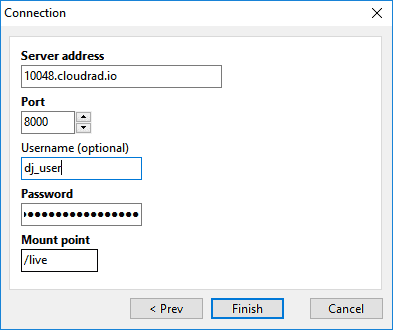
You'll need your connection details from Studio. See Broadcasting Live for where to find your server address, port, mount point, username, and password.
Enter server details
Enter the values from Studio into the corresponding fields in the encoder. Match the server type (Icecast or Shoutcast) to your radio's configuration.
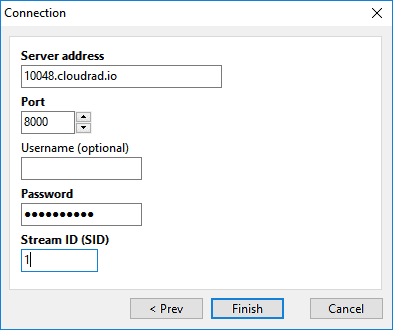
Audio settings:
- Recommended bitrate: 128 kbps (CD-quality) for MP3 or 64 kbps AAC+
- Configure the Station Info, Metadata, and Statistics
- Click OK
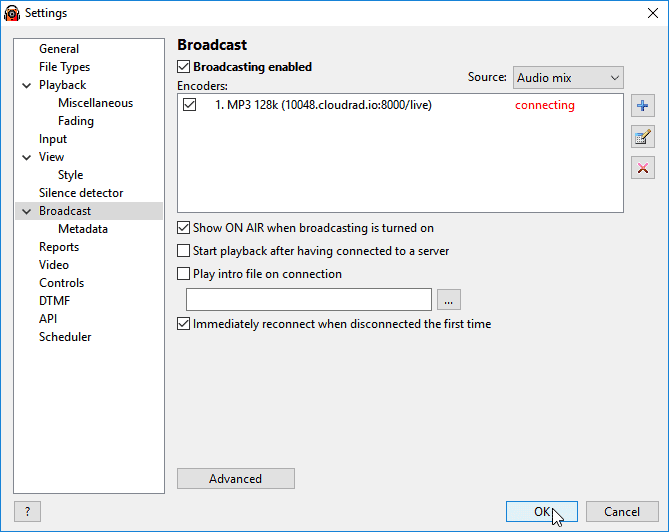
Broadcast settings:
- Set the Audio Source.
- Check the following boxes: Broadcasting enabled, the encoder, and SHOW ON AIR
- Click OK to finish.
Play music
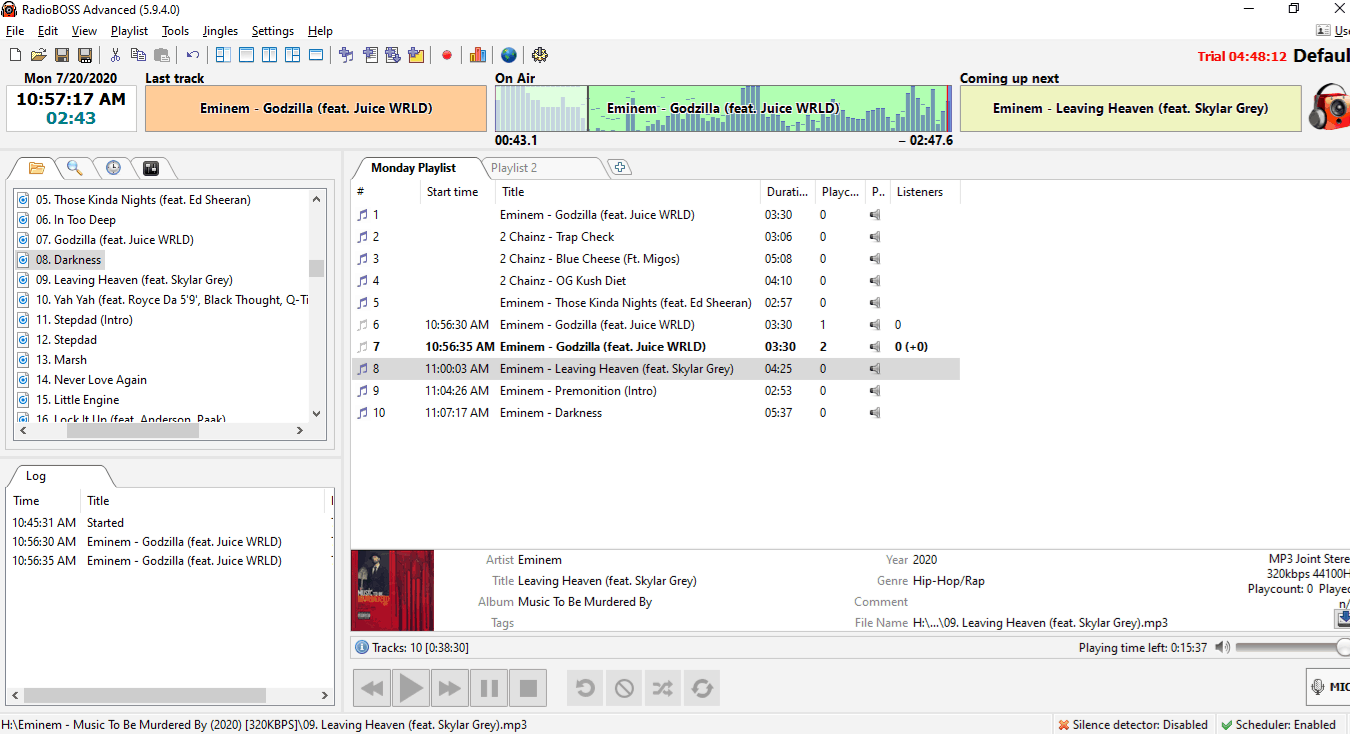
- Drag and drop music files into the playlist tabs
- Click the Play button
Learn how to use RadioBOSS advanced features on the online user manual.
Need an alternative to RadioBOSS? Explore over 20 radio automation, DJ, and encoder programs on our broadcast software guide.