Learn how to use ProppFrexx to broadcast live radio. This tutorial shows you how to set up a Shoutcast or Icecast encoder.
Software information
Platform: Windows
License: Commercial (from €99)
Server type: SHOUTcast 2, SHOUTcast 1, & Icecast
Download page: https://www.proppfrexx.radio42.com/download.html
Overview
Developed in Germany by Radio 42, ProppFrexx has been used to broadcast on large terrestrial radio stations and small online radios that run unattended for long durations. The publisher offers separate licenses for commercial radios generating revenues from broadcasting and discounted licenses to non-commercial users. The most basic version goes for €99.
Key features
The number of tools alone doesn't make ProppFrexx one of the best radio automation programs. It's also fairly stable and well maintained with regular updates. We particularly like features such as:
- Advert & news management
- Program scheduling
- Manual live assist and automated playback
- Play out statistics
- Audio CD burner and ripper
- Integrated browser
- Powerful mixer with a simple configuration wizard
- Unlimited standby players
- Customizable mixing and fading
- The wide selection of skins with Touch UI
- Customizable events and commands
Connect to your server
Install ProppFrexx
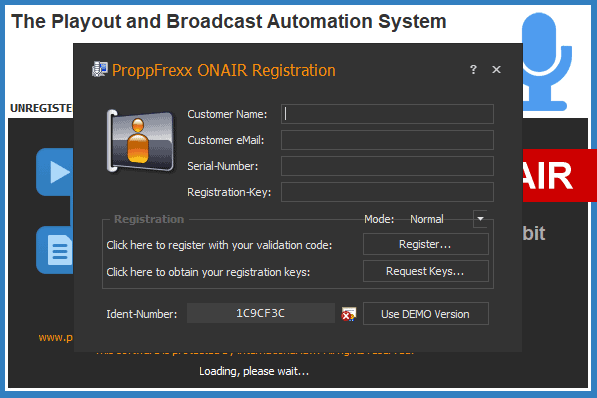
You get the chance to try out the program. The trial version will shut down after 3 hours of use, and a beep will be played at intermittent intervals. These measures are meant to ensure that users purchase a license.
- Open the Download page, and provide your full name and email to receive the download link.
- Extract contents of the archive.
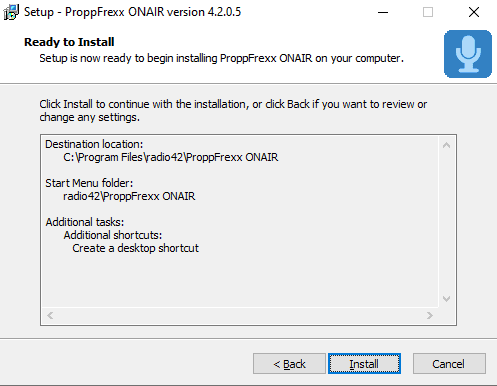
- Run the setup wizard.
Use the Demo Version if you have not purchased a license.
Configure the encoder
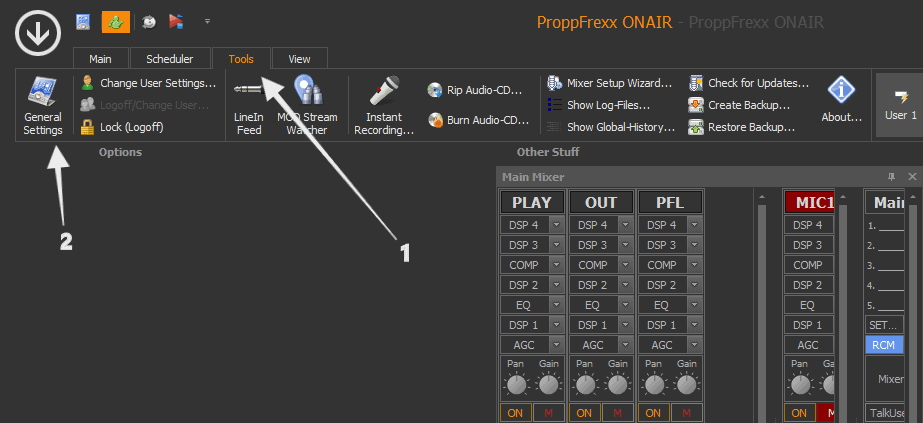
- On the main toolbar, select Tools > General Settings > Streaming.
- Choose Add to save a new encoder configuration.
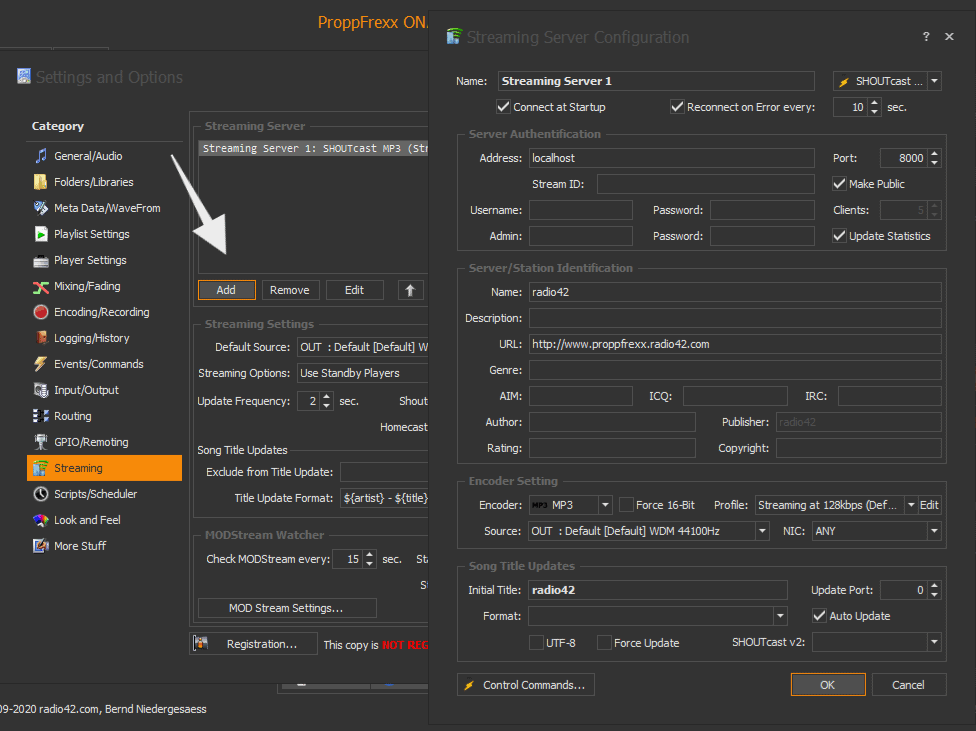
You'll need your connection details from Studio. See Broadcasting Live for where to find your server address, port, mount point, username, and password.
Enter server details
Enter the values from Studio into the corresponding fields in the encoder. Match the server type (Icecast or Shoutcast) to your radio's configuration.
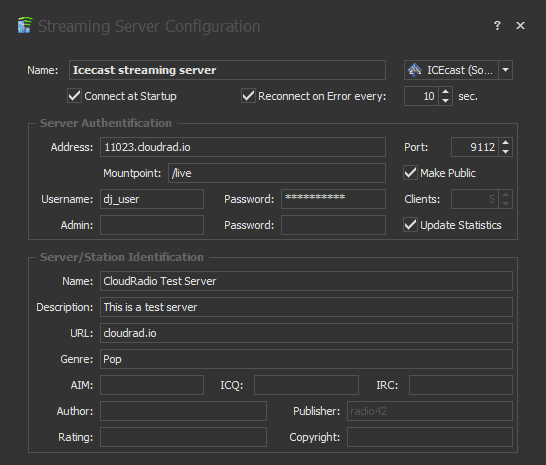
Next, you'll need to configure your stream quality and format. It's also advisable to provide your station identification. The encoder supports a wide range of formats, including MP3 and AAC.
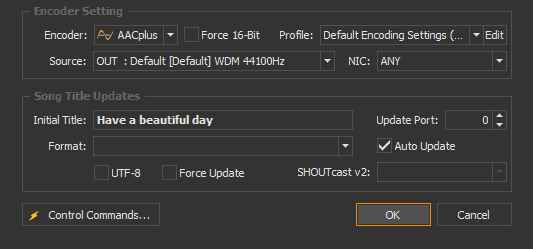
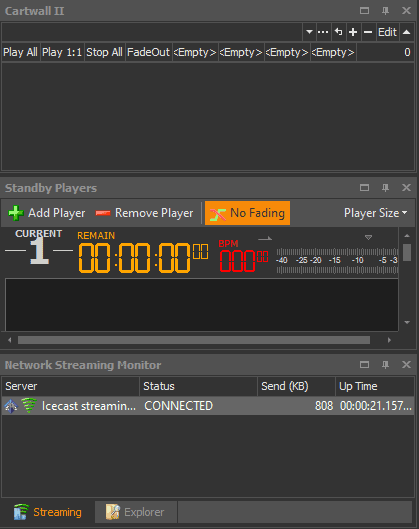
After setting up all your streaming details, click OK. Your encoder will attempt to establish a connection. Check to see that the connection is successful:
Start broadcasting
There are a lot of playback options that come with the program from hosting talk shows to rebroadcasting online streams. The possibilities are unlimited!
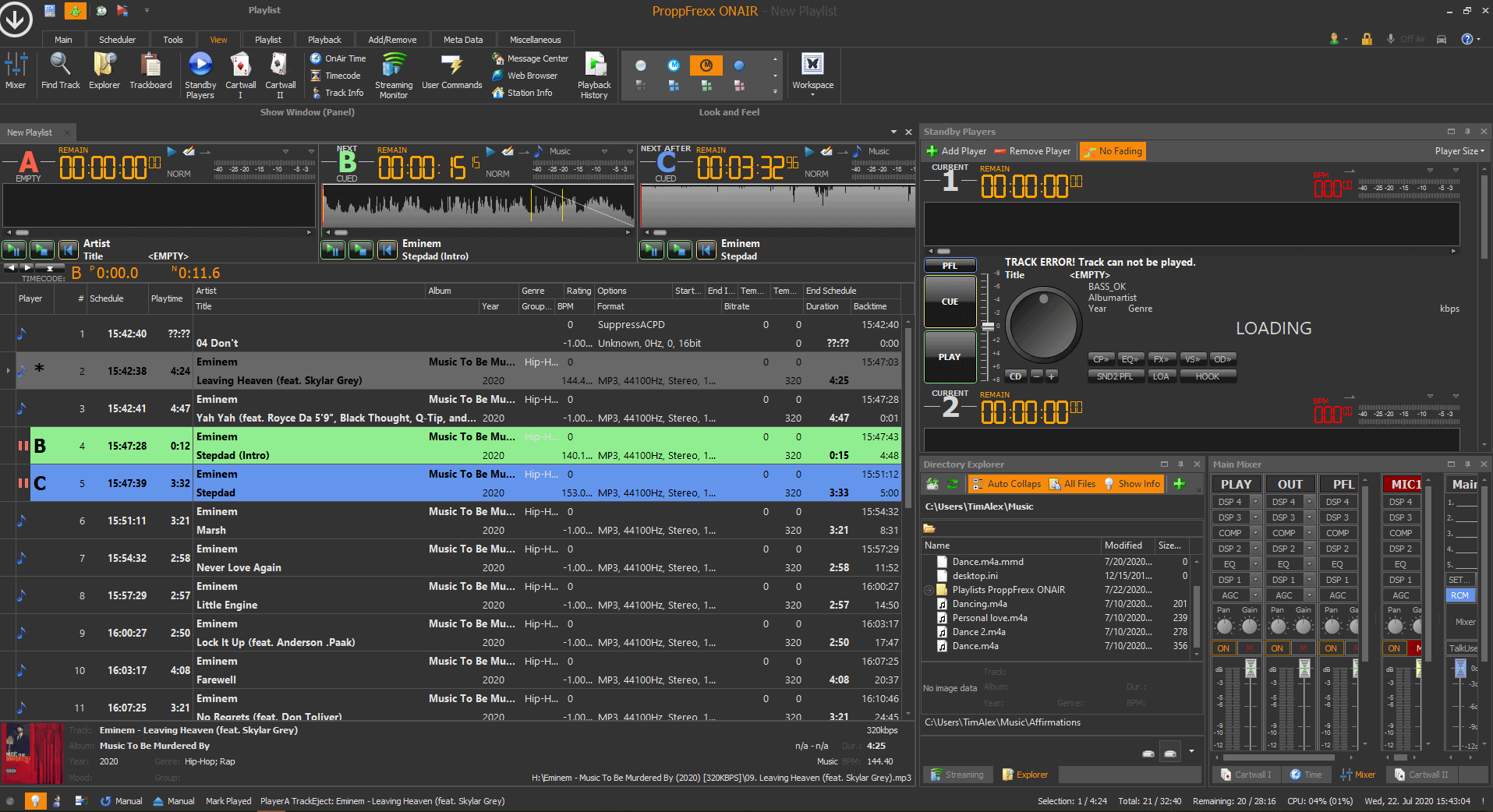
We recommend learning about the sophisticated features of this program by checking out the user forum for insights or with these starter video tutorials.
Need an alternative to ProppFrexx? Explore over 20 radio automation, DJ, and encoder programs on our broadcast software guide.