Learn how to set up Virtual DJ 7 with your broadcasting server. Virtual DJ 7 is a free DJ program that allows you to mix songs.
Software information
Platform: Windows, Mac OSX
License: Commercial
Server type: SHOUTcast, Icecast
Download Page: https://virtual-dj.en.uptodown.com/windows/download/21030
Overview
Virtual DJ 7 is a free DJ program that allows you to mix songs, perform scratches, and add effects to music tracks on the fly. Although the current version is Virtual DJ 8, the previous version still has a loyal following, and today you will learn how to configure it with your broadcasting server.
Key features
- It has a friendly interface that's easy to use and understand.
- You can have 4 to 6 desks open.
- Playing sound effects is also easy.
- Navigating through your music library is a breeze!
Connect to your server
Install Virtual DJ 7
In Windows:
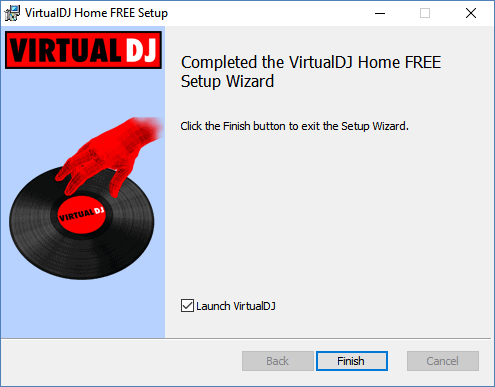
- Download and open the .exe file to run the FREE Setup.
- After completing the installation, click Finish.
Getting started
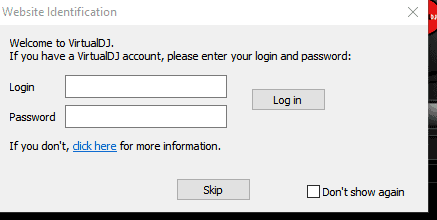
You will be asked to log in to your Virtual DJ account. Alternatively, you can skip this step.
Configure the encoder
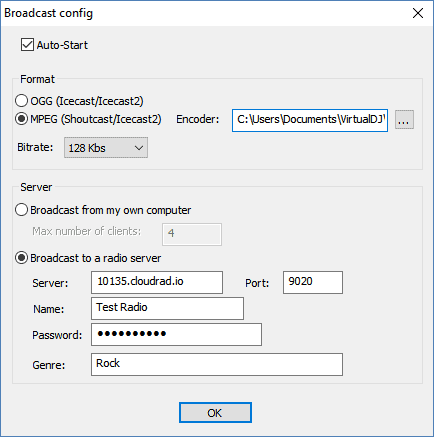
- To set up a new encoder, select the Record > Broadcast > Config.
- To broadcast in the Mp3 format, select MPEG (Shoutcast/Icecast2) and set your bitrate.
You'll need your connection details from Studio. See Broadcasting Live for where to find your server address, port, mount point, username, and password.
Enter server details
Enter the values from Studio into the corresponding fields in the encoder. Match the server type (Icecast or Shoutcast) to your radio's configuration.
Start broadcasting
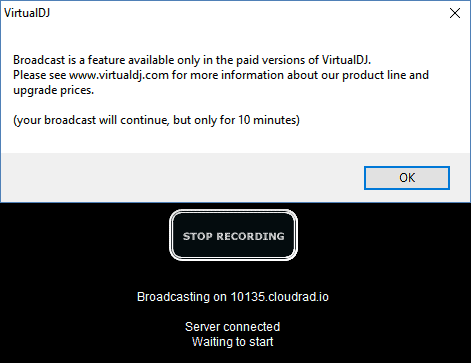
Click Start Recording and play music on one of the desks.
However, if you're on the Home Edition, your broadcast will only play for 10 minutes.
Note
You will be restricted when broadcasting in the free version. But there is a workaround for this issue. Well, consider using a standalone encoder like RocketBroadcaster, BUTT, AltaCast, etc. Or, upgrade to the latest paid version of Virtual DJ.
Need an alternative to Virtual DJ 7? Explore over 20 radio automation, DJ, and encoder programs on our broadcast software guide.